

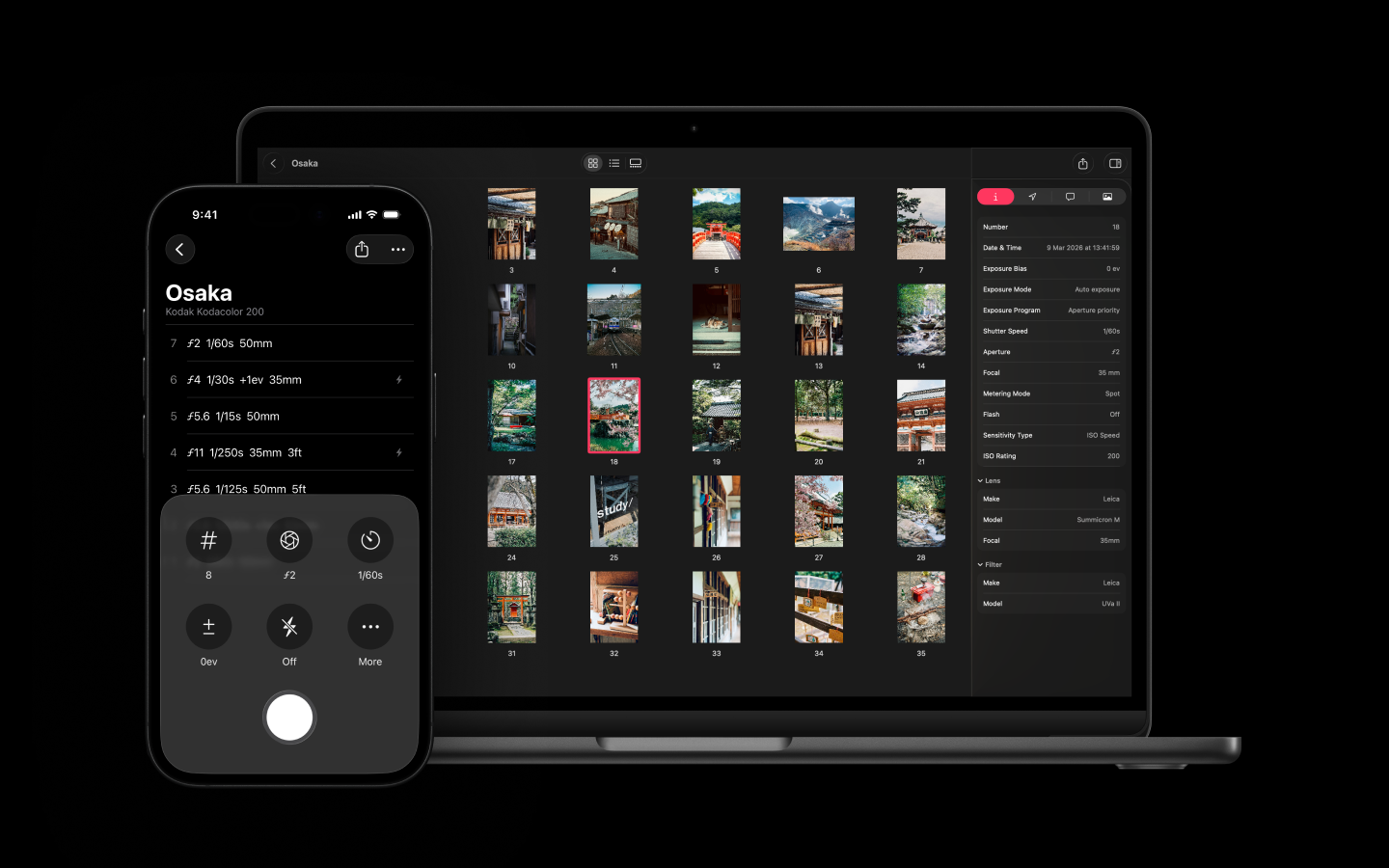
A year ago I wrote a piece here introducing Frames, an app to log film photography metadata and write it back into your scans. What I didn’t tell you was that I’d just quit everything else to work on it full time. One person, one project, every line of code and every pixel of design. Twelve months in, here’s how that bet is going.
Going All In
When Frames launched last May it already had three years of life behind it under its previous name, Datafilm. A lot of you knew it. But the new version, with the macOS companion and proper metadata writing, felt like a real step change. You shoot a roll, log each frame on your phone as you go, come home, drop your scans into the Mac app, pair them up, export. Aperture, shutter, lens, location, film stock, written straight into the files themselves. Or as XMP sidecars if your workflow prefers them.
Plenty of photographers were already logging their rolls, on paper, in spreadsheets, in apps that did half the job. But nothing brought it together in a way that felt unified, or honestly, that easy to live with. So I committed.
I’ll be honest: Frames isn’t yet a comfortable living. It’s growing, but slowly, in the way these things grow. What keeps me going is hearing from photographers who’ve folded Frames into their workflow and tell me it’s pushed their practice forward, made them more deliberate, more curious, more rigorous about what they’re doing. That’s a strange and specific kind of fuel, and it works.
The iPhone App: A Year of Changes
The iPhone app is barely the same app. The bones are there but almost everything on top of them has been redone.
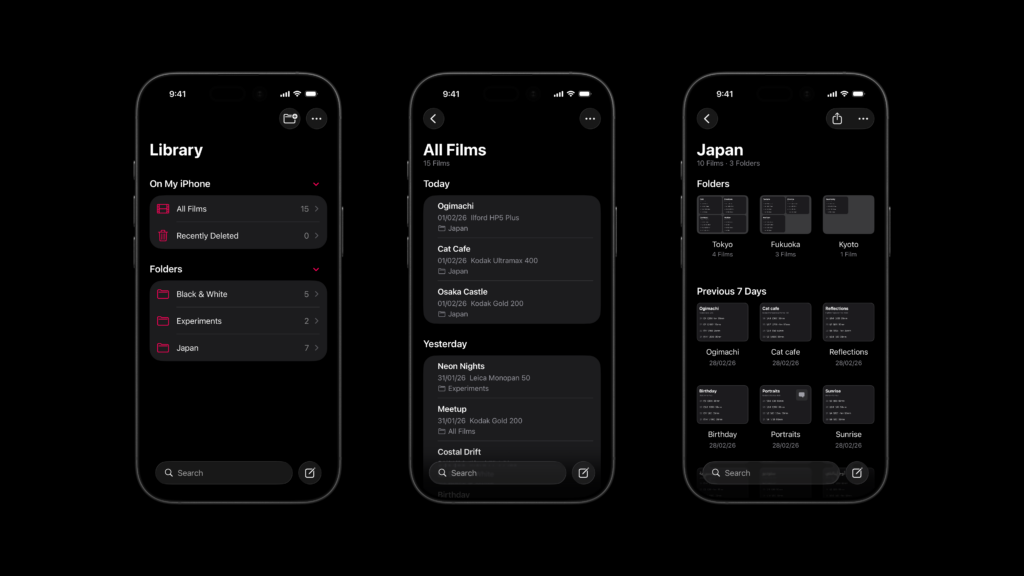
The library was the most obvious thing to grow. A year ago you could make a folder, drop rolls in, and that was it. One level deep. Now you can nest five levels in if your brain works that way, by camera, by year, by city, by project, by mood, whatever, and rolls and folders move around freely. You can sort by date created, date modified, alphabetical. You can also export a whole folder tree at once instead of going roll by roll.
What you can record per frame has grown a lot. The original set was already decent (frame number, aperture, shutter, exposure compensation, flash, focal length, lens, date, location, reference photo, notes), but people kept writing in with very reasonable additions. SLR shooters wanted exposure program, PASM, basically. Hyperfocal-distance people wanted focus distance. Filter users wanted filters. They’re all in. There’s also metering mode now.
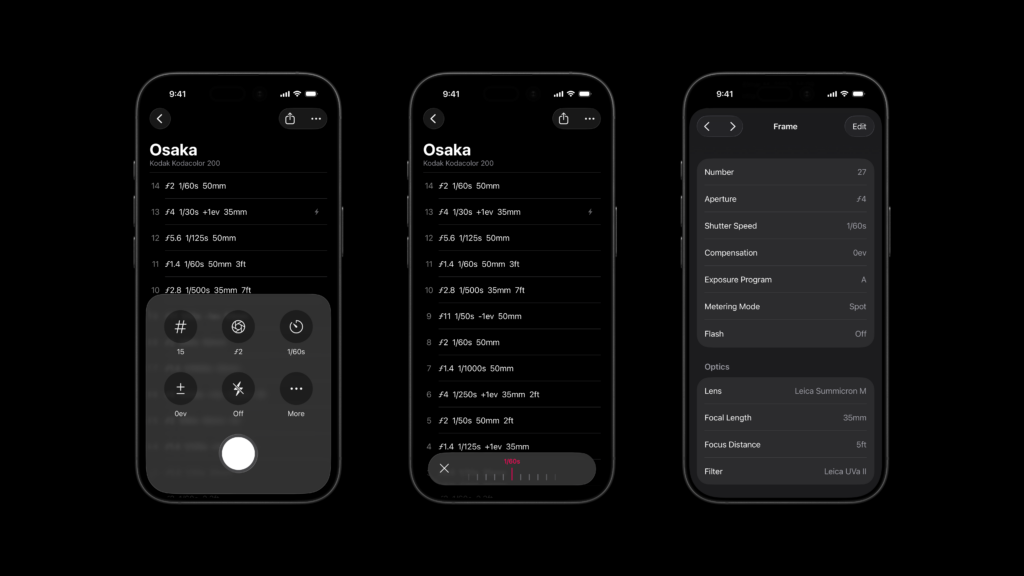
There’s a small story here that says a lot about how this gets built. The frame counter used to top out at 40, which seemed safe. Then a few Pentax 17 owners wrote in (half-frame, almost 80 frames per roll) to point out that I’d locked them out of half their roll. It now goes high enough. Around the same time, a Nikon F3 user pointed out that some of the shutter speed values were missing, which sent me back to rethink the whole shutter input and rewrite it properly. That happens a lot. Someone tells me about a friction in their workflow, I fix it the next week, and the app gets a little less mine and a little more ours.
The interface got reworked too. New toolbar, new haptics, animations that I hope feel intentional rather than the kind of motion you tolerate. The frame-recording screen is now genuinely customisable: pick the two extra controls you actually use alongside the core ones, choose between a compact toolbar and a full-view layout. Same for the rows in the film list. You decide whether to surface lens, or location, or date, without having to open every frame.
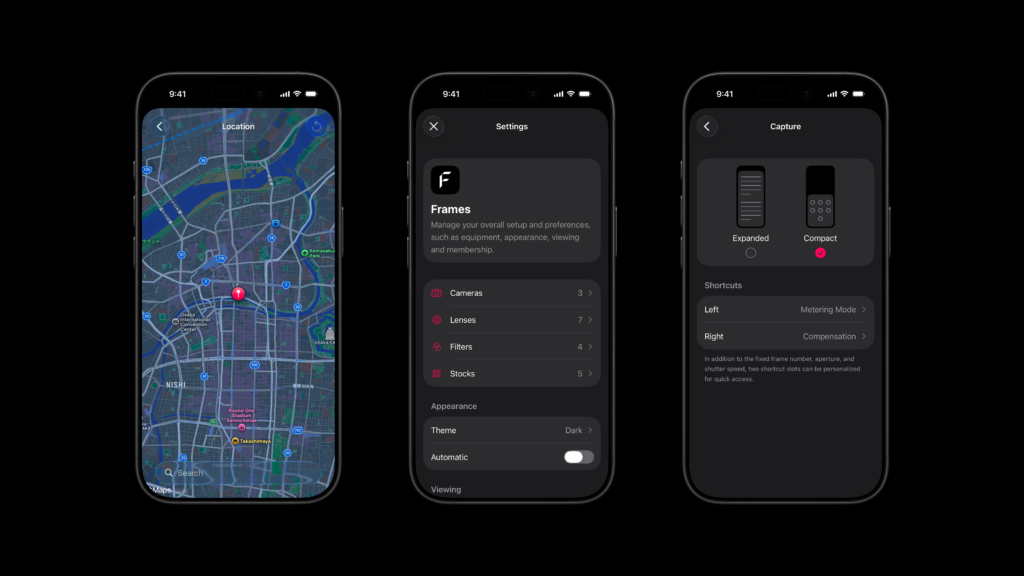
If you’re on iOS 26, Frames has been redesigned around the new Liquid interface, and the difference is noticeable. iOS 18 users get all the same features; iOS 26 users just get a bit more polish on top.
Exports got a few new formats: GPX (handy if you geotag elsewhere), print-ready PDFs, and XMP sidecars, alongside the existing CSV, TXT and .frames files. Search across your rolls now works on title, camera, stock, or folder, which matters once you’ve got dozens of rolls and you’re trying to find that one weird one from the trip last spring.
Where the Metadata Lands: The Mac App
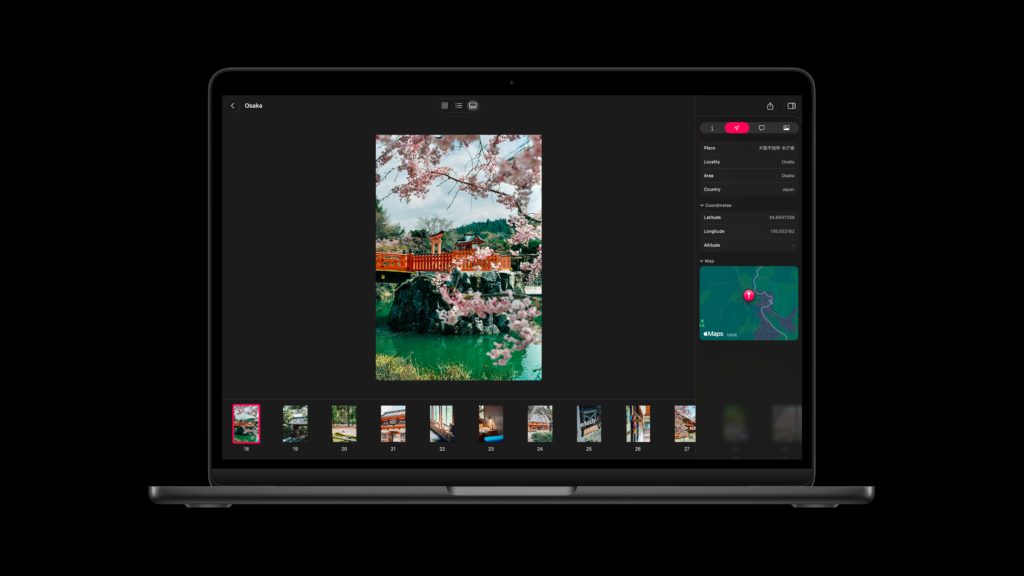
The Mac companion has come a long way too. The headline change is what it can write into: the metadata reintegration, the bit where your logged frame data gets baked into the scanned image, now handles TIFF, DNG and JXL alongside JPEG. No re-encoding. The pixels don’t move. Only the metadata changes. After export, Lightroom, Capture One, Apple Photos, Darktable: they all read the fields natively, the way they should. For anyone scanning to DNG or TIFF, this was the request I heard most often, and it’s finally there.
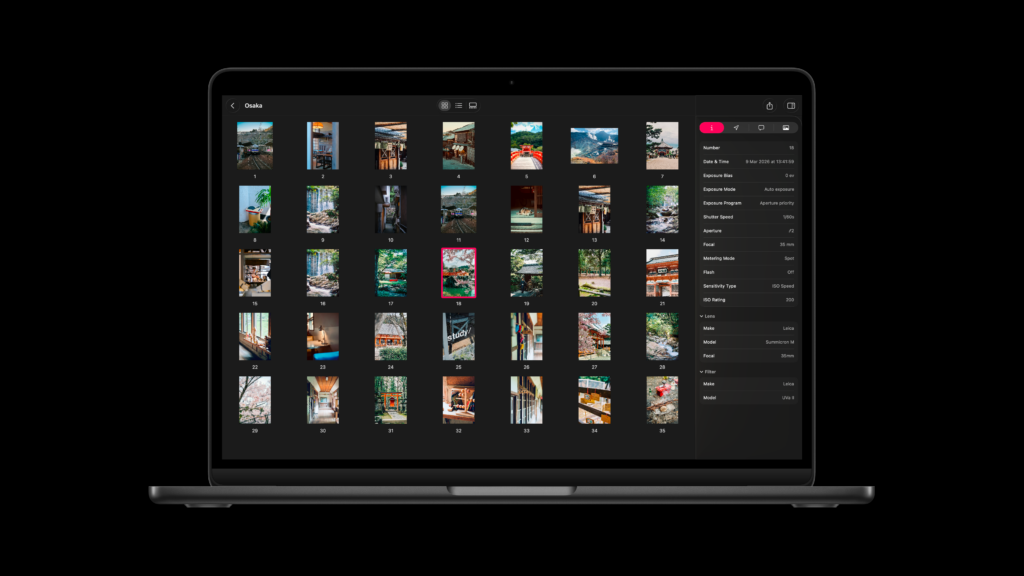
Export performance is much better too, even on big DNG files over 100MB, which used to be a real slog. The information sidebar shows roughly twice the detail it did, redrawn for readability. And the whole app can now be driven from the keyboard, pair, unpair, export, without touching the mouse.
One last thing, the iOS and Mac apps used to be two separate purchases. They’re now one. Existing users didn’t have to do anything; it just became the case. The two were always meant to be a single tool. The point is to get the whole thing into as many film photographers’ hands as possible.
Built out of the inbox
A lot of what’s in Frames today came straight from email. The half-frame counter, the PASM tracking, the deeper folders, the customisable frame rows: none of those were initially on my roadmap. They were people writing in, describing a real problem, often apologetically, and me realising they were right. Every one of those messages matters. I read them all and most of them get a reply within a day or two.
The app is in more languages now than it was at launch. That one matters to me personally. Film is a global thing. The app should get out of the way.
One other thing from this year: I rebuilt the website last month. The old one was functional but didn’t reflect what the app had become. The new one is closer to the craft I’ve tried to put into the apps themselves, and it does a much better job of explaining what Frames actually is before you download it.
I also want to thank the people who put Frames in front of an audience this year. Romping Bronco and Metal Fingers on YouTube, Bellamy at Japan Camera Hunter, Dimitri at Analog Cafe, Hamish here on 35mmc, Hedley Wright and Alberto Lima on their blogs. As a solo developer you can build something genuinely useful and have it sit there in silence. These folks made sure it didn’t, and I’m not sure I’d still be doing this full time without them.
Still Building
Twelve months. A rebuilt iOS app. A Mac app that’s grown into something I’m actually proud of. A pricing model I’m happier with. A user base whose fingerprints are all over the changelog.
It isn’t finished, and I’m not sure it ever will be. This kind of project is all about iteration, small increments over time, and that’s what takes something from a good idea to a great experience. Most of what I’m doing now is in the small details, the bits of friction that show up once you’ve used the app for months rather than days. Large format is on my mind, for instance: the whole library is built around rolls, and treating sheets the same way isn’t quite right. The concepts need to be separated and the UX rethought around them. That’s the kind of thing I want to get to.
If you shoot film and you’ve ever wished your scans remembered what you were thinking when you pressed the shutter, the light, the lens, the reason you took it, Frames is the closest thing I’ve figured out how to build.
Android and Windows are in the back of my mind too, but I’d rather get the current version to a more mature place first. I see Frames as a handcrafted tool, and I’m not going to vibe-code an Android app just to say it exists. I’d rather take longer and keep the bar where I want it.
You can log up to five rolls and explore almost everything the app does before deciding whether to support the project. And if you have feedback, questions or need any guidance, my inbox is always open.
Frames on the App Store (iPhone)
Frames on the App Store (Mac)
Frames: Film Photography App (Project website)
Share this post:

Comments
Jim Grey on Frames, One Year Later – Building a Film Photography Logbook App Full Time
Comment posted: 27/05/2026
Comment posted: 27/05/2026