C41 Development Isn’t the Problem – Guessing Is!

By James Maher

I didn’t set out to build an app. I’m a photographer.

I built it because I got fed up with guessing (and sometimes getting it wrong). Home C41 development is full of it. Not the process itself that’s straightforward, but everything around it.

You’re told to hit 38°C and keep it there. You’re told your chemicals will last “X” number of rolls. You’re given clean, controlled instructions. But in reality? The temperature drifts. The chemicals age. And you’re stood there, mid-development, making a judgement call you’re not fully confident in.

“Do I add time… or just leave it?”

Most people leave it. And hope. And yeah it often works. But when it doesn’t, it’s not a minor miss. You’ve potentially just ruined a roll you can’t get back.

What’s strange is that everyone knows these variables matter. Temperature and chemistry condition are the factors in colour development. But the tools people use completely ignore them. Timer apps assume everything is perfect, including the temperature, which is less important for monochrome but for colour its imperative!

The “proper” solutions rotary processors and heated systems solve the problem, but at a cost that starts to defeat the whole point of developing at home.

There was nothing in the middle. Basic timer apps or expensive colour developing processors. There was no app that actually adapts to what’s happening while you’re developing.

So I built it!

ProLab Film Developer.

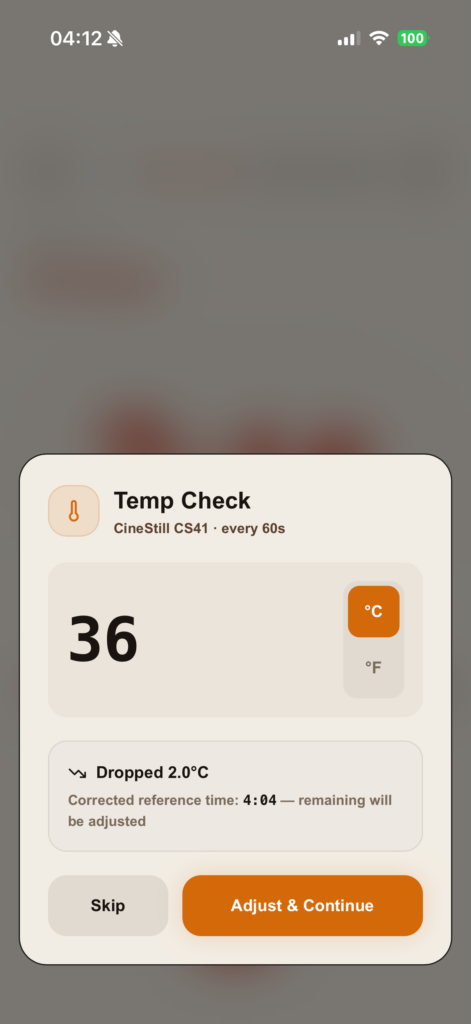
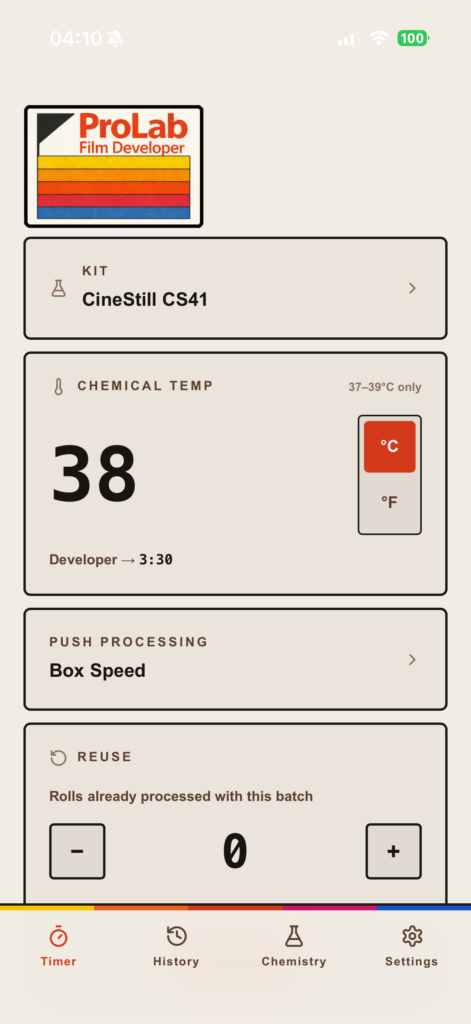
It does what a normal timer doesn’t. It asks you for a temperature reading every minute. If it’s dropped, it adjusts your remaining time to compensate. Not theoretically, in real time, while you’re developing.

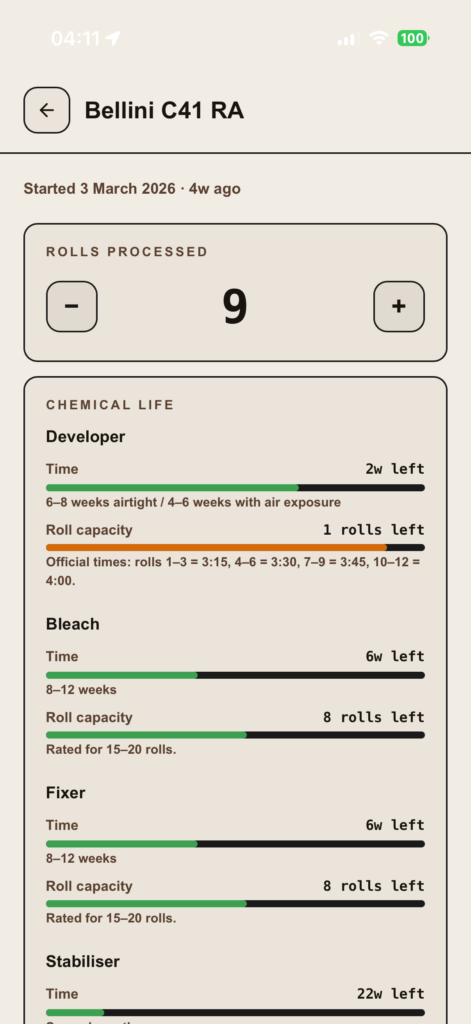
It also tracks your chemistry properly. Not just “how many rolls roughly,” but where you actually are in its lifespan and it adjusts your development time to reflect that. Plus if you want to experiment further it also allows you to push process even with chemicals that are not at their freshest. So instead of hoping your process is still within tolerance… you stay within it.

And that’s the key difference.

Because the barrier to home C41 was never knowledge. It was confidence.

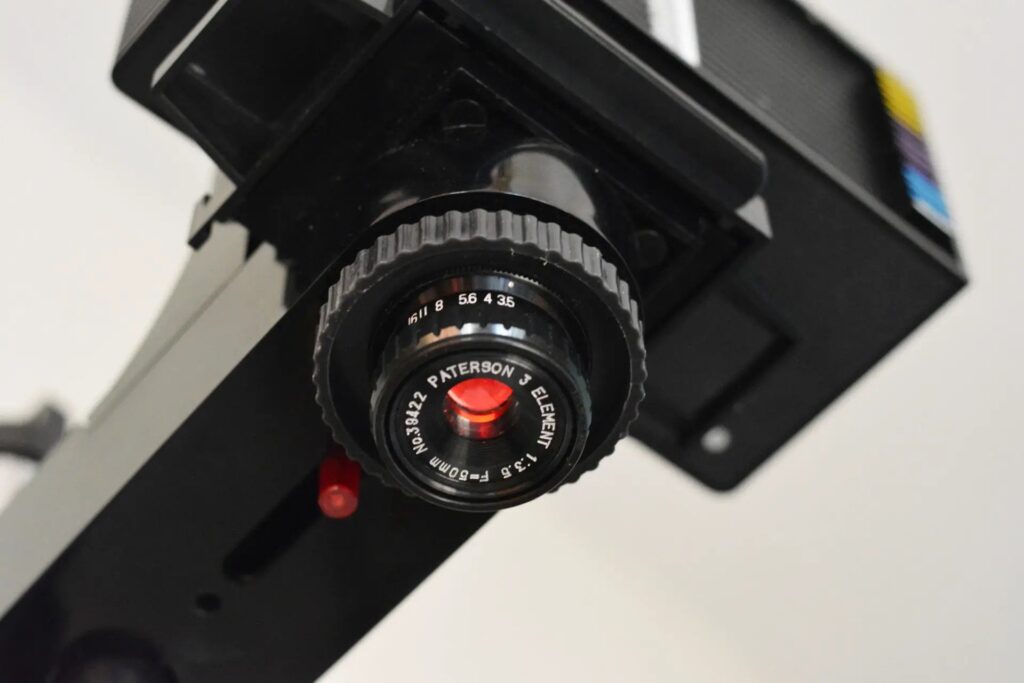
People think they need sous vide setups, lab-grade control, expensive processors. But they don’t. They just need something that accounts for reality. You can do this with a washing up bowl, a Paterson tank, and a thermometer.

The app just makes sure you don’t drift outside the margins. That’s it.

It sits somewhere in the same space as hardware processors, consistency, but without the cost. You still do the work, but you’re no longer guessing your way through it. And as far as I could tell, nothing else was doing this.

So I made it for myself. Then realised it probably shouldn’t just be me using it.

If you’ve ever stood over a tank thinking, “please don’t be ruined,” you already know why something like this matters. Why not save on development costs and develop like a pro but without the setup costs, give it a try, you’ll be surprised how easy it is.

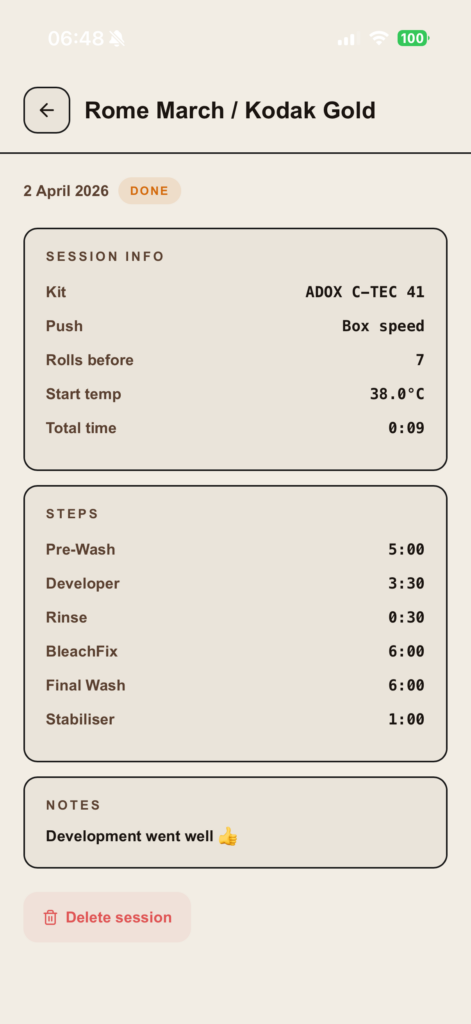
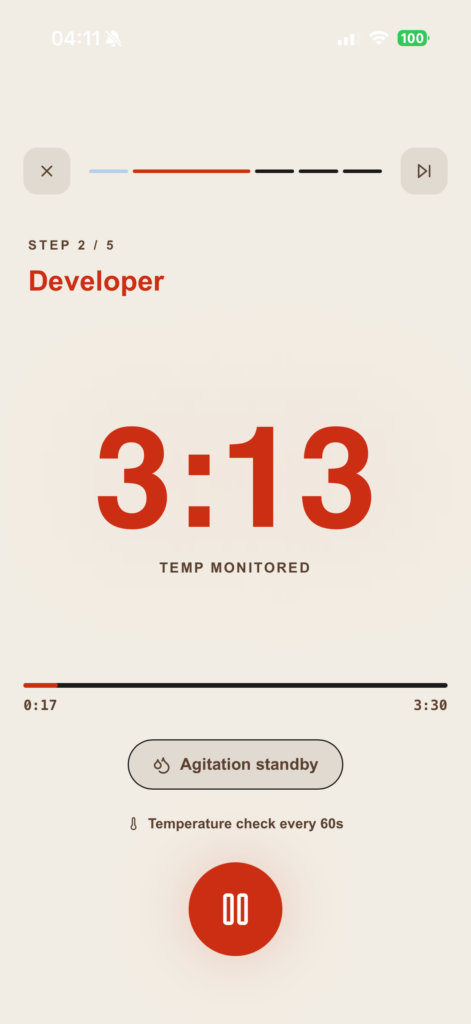
Some screenshots of the app:
Jim

Available now on the Apple App Store: https://apps.apple.com/us/app/prolab-film-developer/id6759682425


Share this post:

Find more similar content on 35mmc

Use the tags below to search for more posts on related topics:

Donate to the upkeep, or contribute to 35mmc for an ad-free experience.

There are two ways to contribute to 35mmc and experience it without the adverts:

Paid Subscription – £3.99 per month and you’ll never see an advert again! (Free 3-day trial).

Subscribe here.

Content contributor – become a part of the world’s biggest film and alternative photography community blog. All our Contributors have an ad-free experience for life.

Sign up here.

Make a donation – If you would simply like to support Hamish Gill and 35mmc financially, you can also do so via ko-fi

Donate to 35mmc here.

Comments

Ben Mackey on C41 Development Isn’t the Problem – Guessing Is!

Comment posted: 30/04/2026

This sounds useful so I went ahead, paid my $4.99, and downloaded it. Now to go out and shoot some film so I can test it out.

One question from looking through the app. It looks like this expects that all rolls of film are the same size, presumably 35mm. That said, how many exposures are assumed to be on each roll?

Can other film sizes (110/120/4x5/8x10) be added?
Reply

Leave a Reply

Your email address will not be published. Required fields are marked *

James Maher replied:

Comment posted: 30/04/2026

Hey! Firstly I really appreciate you buying the app, thank you. Always means a lot when someone takes a chance on it. Yeah you’ve spotted it right. At the moment it’s basically working off the idea of a standard 36 exposure 35mm roll. That’s just to give the chemistry tracking something consistent to hang off rather than it being locked to one format. In real world use, the difference between 35mm and 120 isn’t huge in terms of how the chemistry gets used. A 120 roll will use a bit more, but not enough that it’s going to suddenly throw everything out if you’re working within normal kit limits. So for now it keeps things simple without it really costing you anything in accuracy. That said, I do get why you’re asking. Being able to choose film format and roll size properly is something I’m already looking at adding, just so it feels a bit more dialled in depending on what you’re shooting. 4x5 and 8x10 are a slightly different beast altogether, but definitely on the radar longer term. Thanks again for the support, and hopefully it helps when you get your first rolls through it.

Reply

Leave a Reply

Your email address will not be published. Required fields are marked *

Jim Hofman on C41 Development Isn’t the Problem – Guessing Is!

Comment posted: 01/05/2026

Love the idea. I'm currently using the Darkroom Lab Timer app, which doesn't have this level of control. You need to manually adjust times based on the number of rolls developed. Does your app include data for different kits? I've used Rollei, Cinestill (yuk), and Ilfocolor, but now I'm using the Adox kit. If yes, I'll push the buy button.
Reply

Leave a Reply

Your email address will not be published. Required fields are marked *

James Maher replied:

Comment posted: 01/05/2026

Thanks Jim, really appreciate your comment! I agree with everything you’re saying, there are some great timer apps (I still use Massive dev chart for my B&W and it’s awesome!) but for colour I don’t find them particularly useful because the variables aren’t taken into account. That said, if you have expensive home lab equipment and you can work out the exhaustion factor then the timer apps are more than capable and very very good! But if like me, you do it in a washing up bowl with a thermometer and a Paterson tank then they unfortunately are of no use. Without not only compensating for temperature, but for exhaustion rate based on rolls run through, and when the chemicals were initially mixed up, and even what volume of chemicals you initially mixed up the manufacturer timings become irrelevant. That’s why I factored all this in, alongside a chemical tracker which automatically adjusts each kit every time you run a roll through. Sorry gone off on a tangent But yes we do offer data for the Adox kit, below I’ll list the kits it currently services with options to add more at a later date: - Cinestill CS41 - Bellini C41 - Adox C-Tec C41 - Kodak C41 - Jobo C41 (9240) - Rollei Colorchem C41 - Flic Film C41

Reply

Leave a Reply

Your email address will not be published. Required fields are marked *

Stelios Themelakis on C41 Development Isn’t the Problem – Guessing Is!

Comment posted: 02/05/2026

Hi I bought the app right away because it seems very useful, but I see now that for cinestill CS41 kit the app adds a steady 5 seconds for every 1 to 2 films. After 20 films developed the proposed processing time from the app 4m55sec, where as following the Cinestil instructions ("add 2% to the recommended development time for each 135/120 roll,") correct time is 5m12sec which is way off. Please correct if I am wrong or advise if this is going to be rectified with an update.
Reply

Leave a Reply

Your email address will not be published. Required fields are marked *

James Maher replied:

Comment posted: 02/05/2026

Hi mate, thanks a lot for picking up the app, really appreciate it. And fair play for properly checking it, that’s exactly the kind of thing I’d be doing as well. I’ve had another look at this just to be sure, and I think the difference is in how the 2% is being applied. CineStill’s wording is “add 2% per roll”, but they mean that as a straight increase from the original dev time each time, not compounding on top of the last one. So your base time is 3:30, which is 210 seconds. After 20 rolls, that’s 20 × 2% = 40% added on overall. So: 210 × 1.40 = 294 seconds, which is 4:54 The app just rounds to the nearest 5 seconds, so that’s why it shows 4:55. The 5:12 figure comes from compounding the 2% twenty times, which is a really easy way to read it to be honest, but it’s not how CineStill seem to apply it in practice. Really do appreciate you flagging it though, genuinely. If anything ever looks a bit off, always worth a message like this.

Reply

Leave a Reply

Your email address will not be published. Required fields are marked *

Harmen on C41 Development Isn’t the Problem – Guessing Is!

Comment posted: 03/05/2026

Hey, this app looks awesome and just like what I need for mt home development practice. However I'm one of those persons who doesn't own an apple product. Do you have plans to drop an Android version as well?
Reply

Leave a Reply

Your email address will not be published. Required fields are marked *

James Maher replied:

Comment posted: 03/05/2026

Hey Harmen, firstly thank you for the kind words, and based on what you’re saying I believe this app is exactly the sort of thing to perfect your home development practice. Good news! Yes, I am currently as we speak working on an Android port, it’s of my highest priority, do I have an exact due date? Unfortunately not, but what I can say is very soon. It’s basically done, but there are some formatting issues due to all the different screen sizes unlike iOS which is a standardised format. All I would suggest is to keep checking the Google play Store, or by all means DM my personal Instagram profile for updates: @negative_outlook_uk

Reply

Leave a Reply

Your email address will not be published. Required fields are marked *

Harmen replied:

Comment posted: 03/05/2026

Fantastic, will follow and dm. Thanks!

Reply

Leave a Reply

Your email address will not be published. Required fields are marked *

Leave a Comment

Leave a Reply

Your email address will not be published. Required fields are marked *