

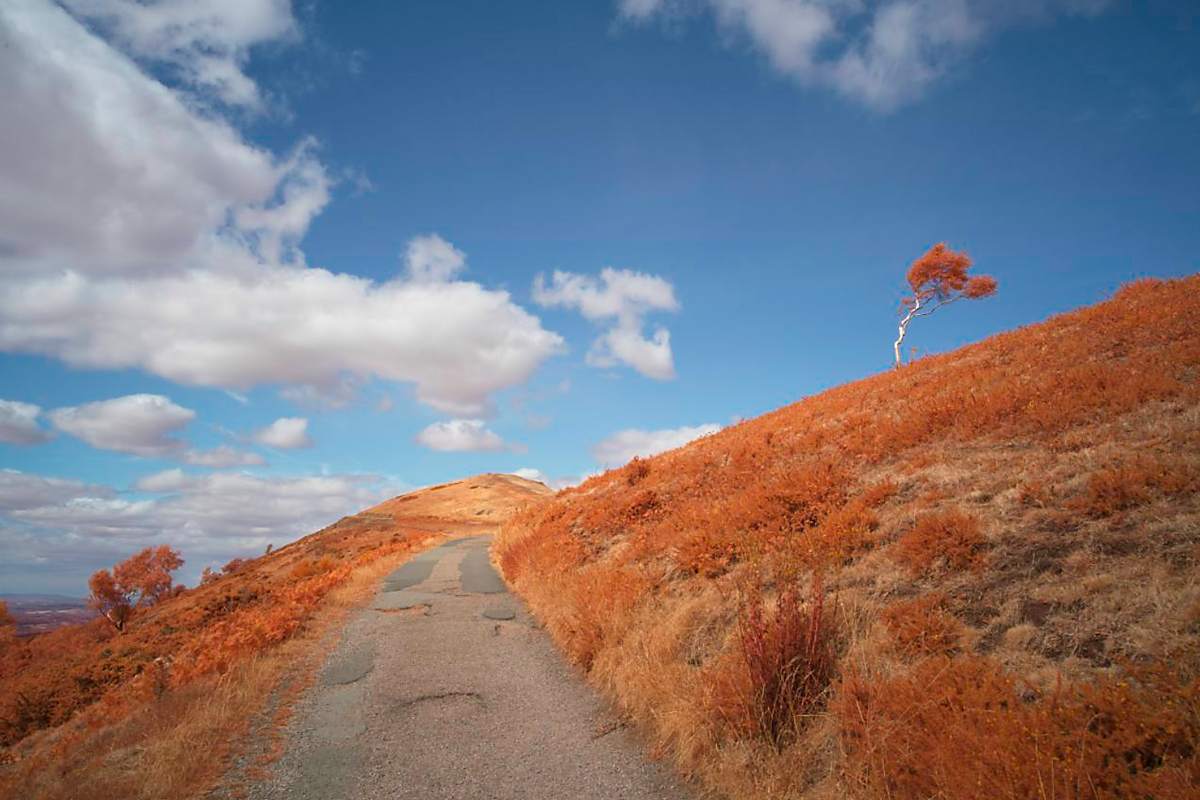
Hamish’s recent post of the brown, dried grass on Old Hills reminded me (very slightly!) of the surreal false colour effects that can be got with IR converted cameras and it also made me wonder what IR would do to dried-out grass. I already thought I needed more practice at using one filter I have never managed to get satisfactory results with. I have taken plenty of IR photos using a conventional 720nm filter that have produced moody monochrome images, but have found false colour more difficult. So I went out to compare the results with a group of filters.
The cameras were full-spectrum conversions (ie the manufacturer’s IR/UV cut filter has been removed and not replaced with anything else, so you need to add the required filter). The filters I decided to test were the ones that give false colour: Kolari IR Chrome; ZB2 “deep blue” filter; Hoya Orange O(G) filter (around 590nm); and a Kolari Hot Mirror IR/UV cut filter (ie visible light). Because the IR Chrome is 67mm and the Deep blue and Orange are 49mm, I decided to reduce changes by taking two cameras, a Sony A7R2 with Tamron 17-28 (great for IR because it has no hot spots, and a rather older Nex 6 with Sony 18-55. Files were processed in ON1, but I used DXO PhotoLab to do the equivalent of channel swapping.
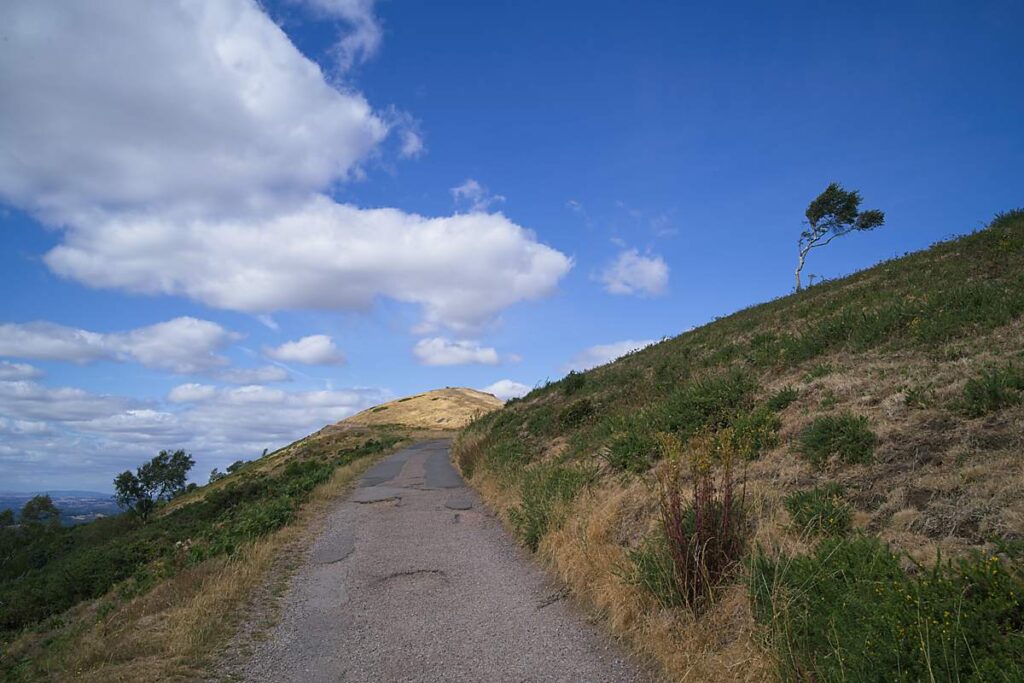
The essence of work with such filters is processing to get the results you are looking for, so showing pure, unprocessed images would not be much use. I started with a shot I thought should help me see the differences clearly. The visible light filter shows the colours that were there, though I remember the trunk of the silver birch as standing out a bit more. Maybe a cloud went over the moment I took this, or perhaps it just needs a slight tweak to the brightness. Unlike the Old Hills, in Hamish’s post, there is still green here, due to the gorse and other shrubs i the dried out grass.
For the following two images, I decided to normalize by setting the white balance using the white patch of the cloud nearest the centre of the image. The browned grass
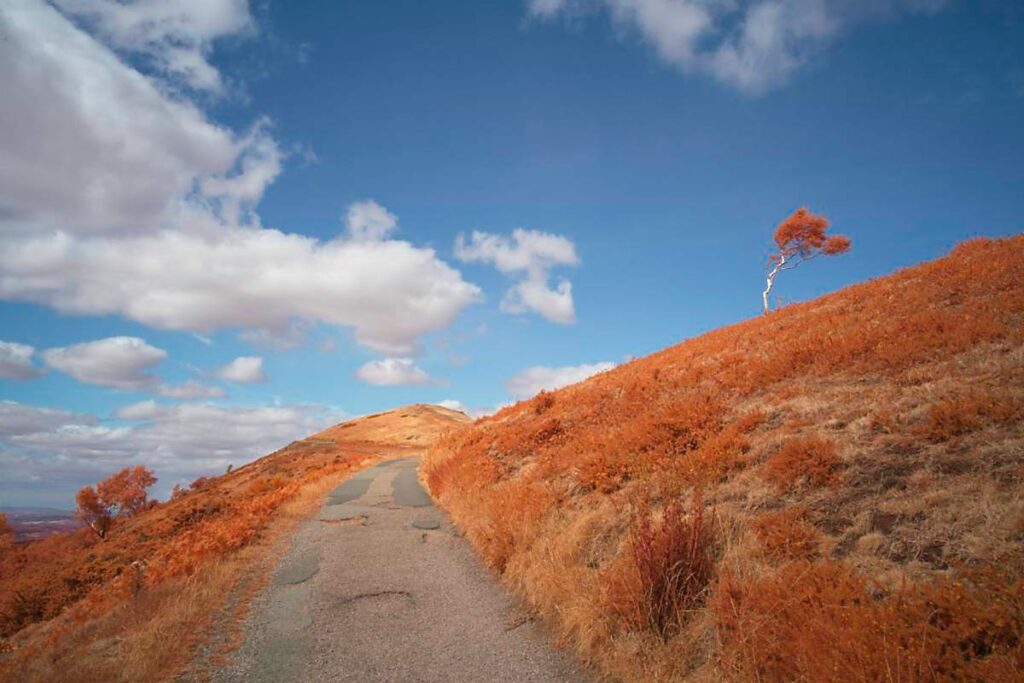
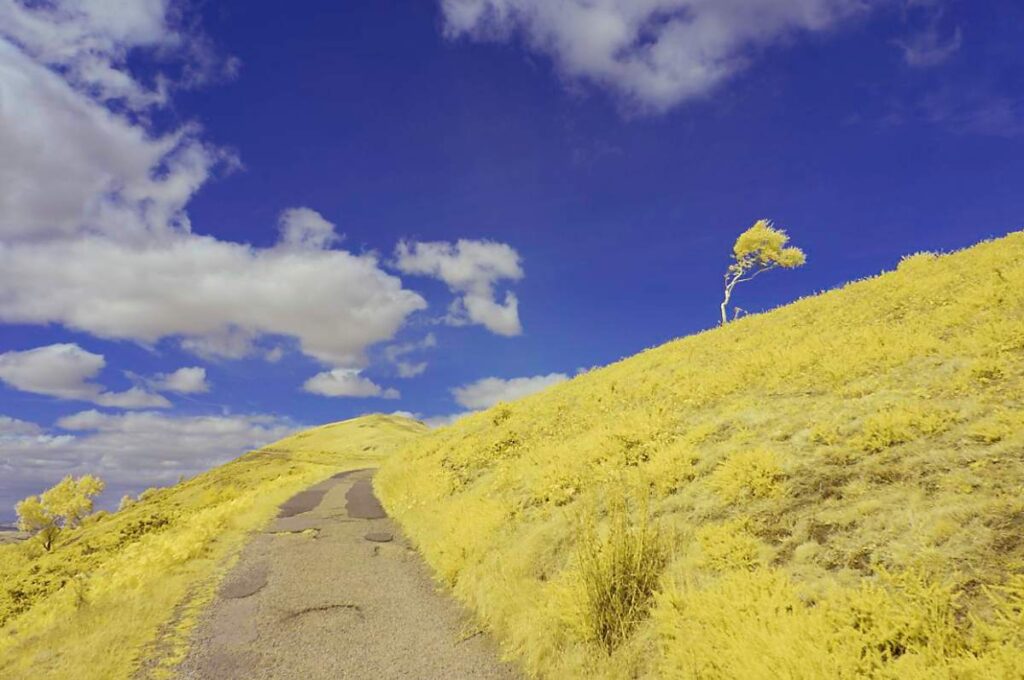
Quite a difference. The yellow could be adjusted to give a result more like the other but, if it is possible to make them the same, it is beyond my skill level. They are different. There doesn’t seem to be the same range of tones in the vegetation. An alternative strategy is to set the white balance using one of the tones in the vegetation. In the past, I have had interesting results this way, with the foreground in monochrome, as looking much as if it were a regular IR image converted to mono but with a dramatic blue sky. However, in this image there is too much contrast between the green and brown vegetation for that.
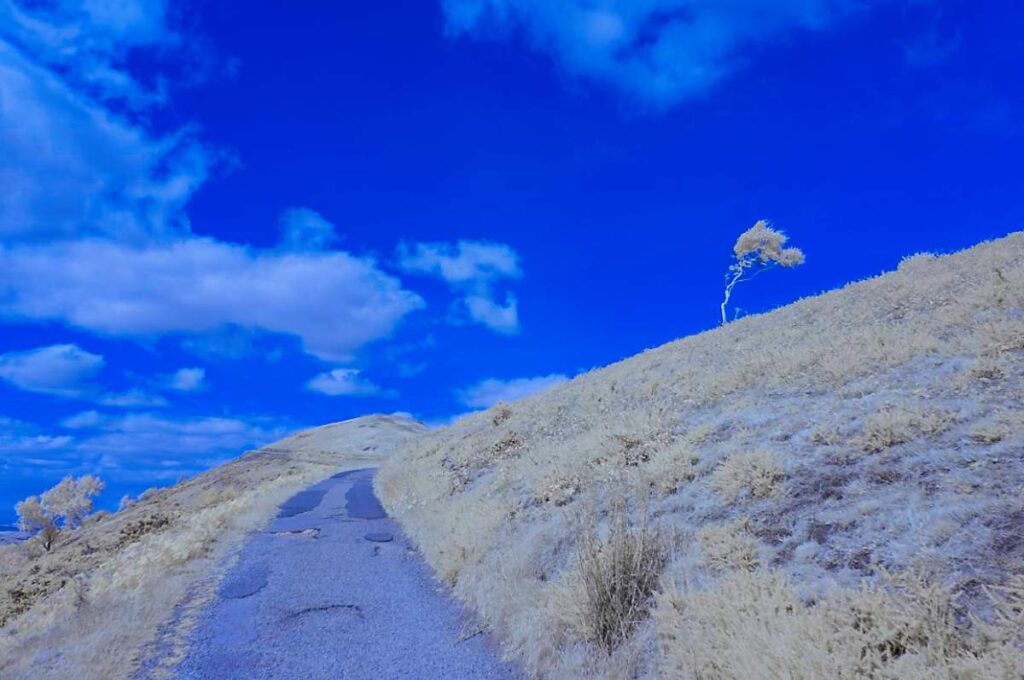
Next, an image taken with the orange filter that will be familiar to B&W film users. This needed a bit more processing (equivalent of channel swapping). Three stages (learned from Alan Burch’s infraredcameraconversions web site). First set the white balance on the clouds, then change the sky to as natural a blue as possible, and then turn the vegetation to the desired shade of orange or pink, according to taste.
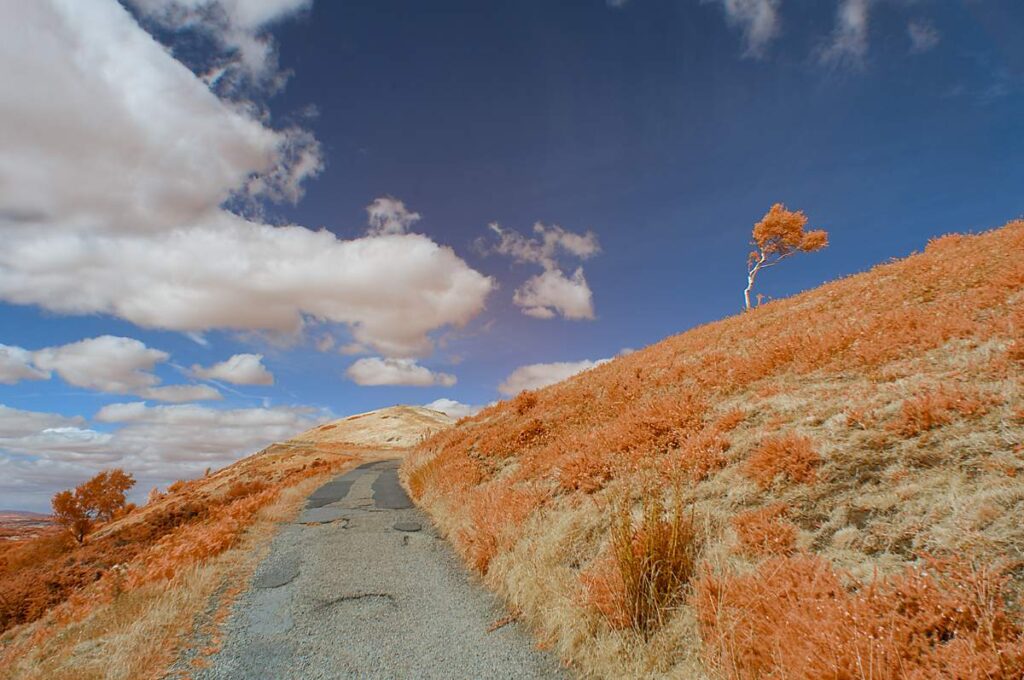
Of this series, this is probably the one I would go for, though the IR Chrome colours could be better in some shots.
For a different type of lighting, I also tried a view under some trees (my choice of locations on the hills was limited).
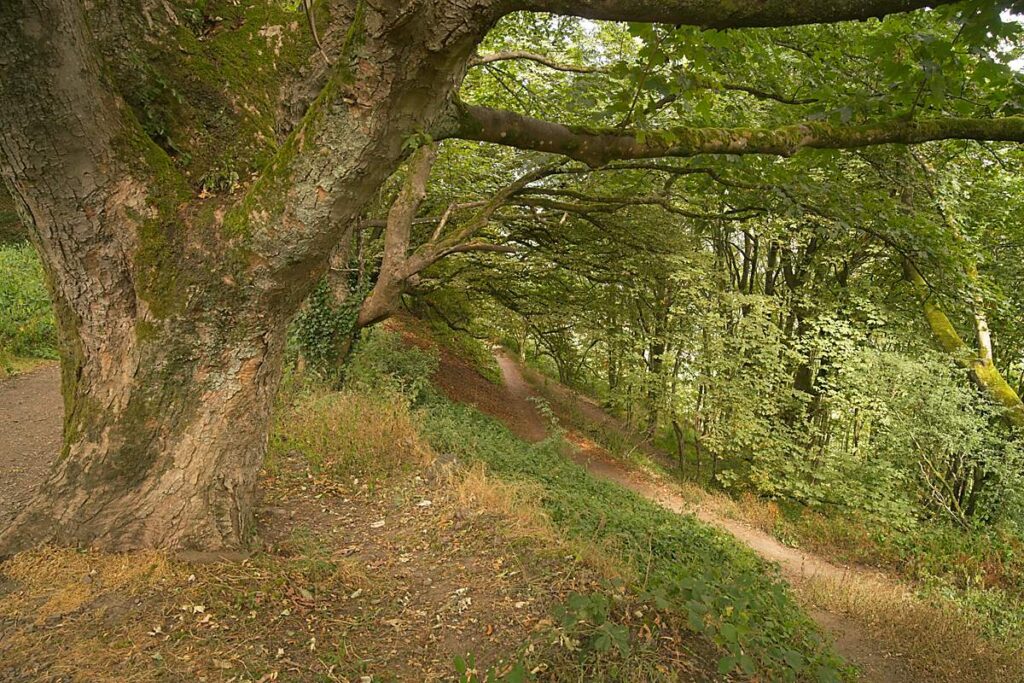
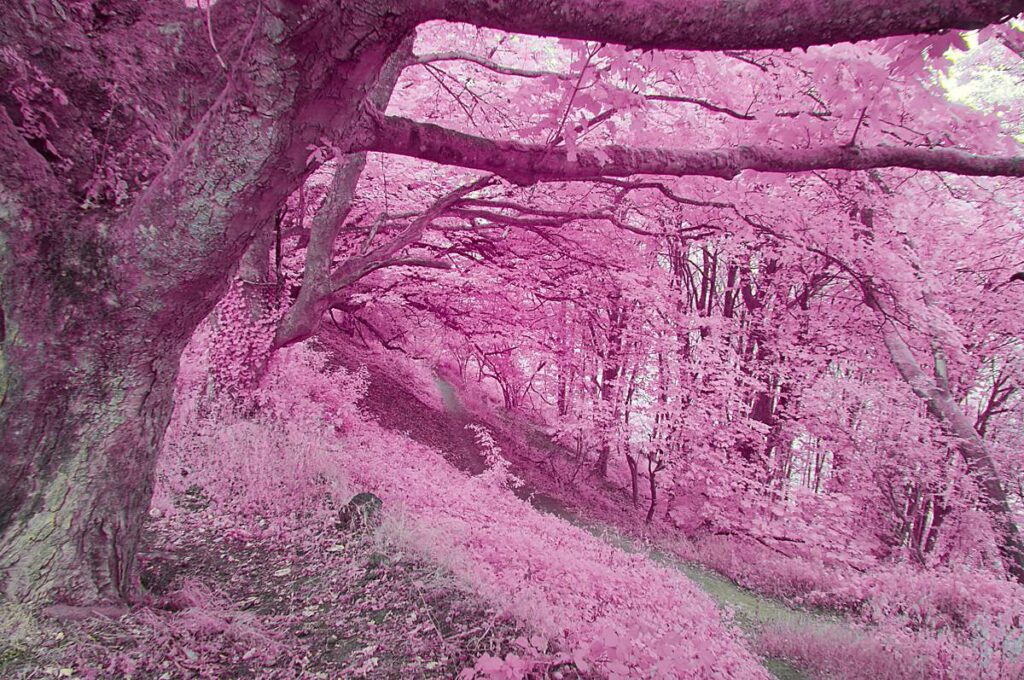
This time, the unprocessed (camera set to AWB and colour setting on normal) IR Chrome shot, and one processed to do the type of pink vegetation I associate with David Clapp (though not in the same league as his!).
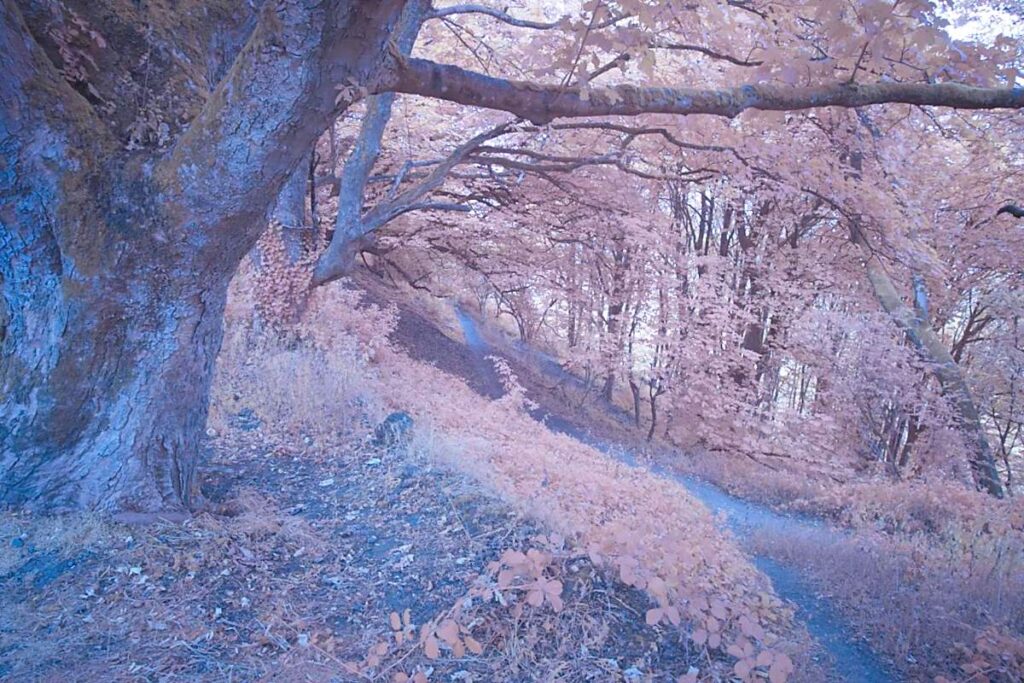
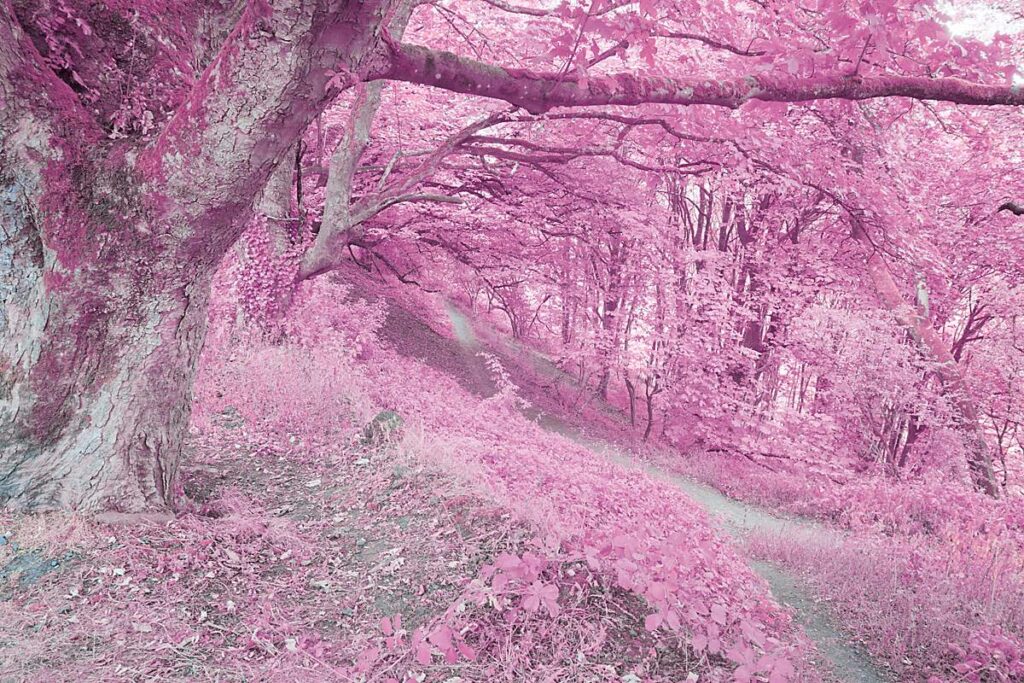
Here, its almost as though these trees have sprouted cherry or plum blossom, and the blue cast on the ground and trunk has gone. With this view, a similar effect can be obtained with the Deep Blue filter.
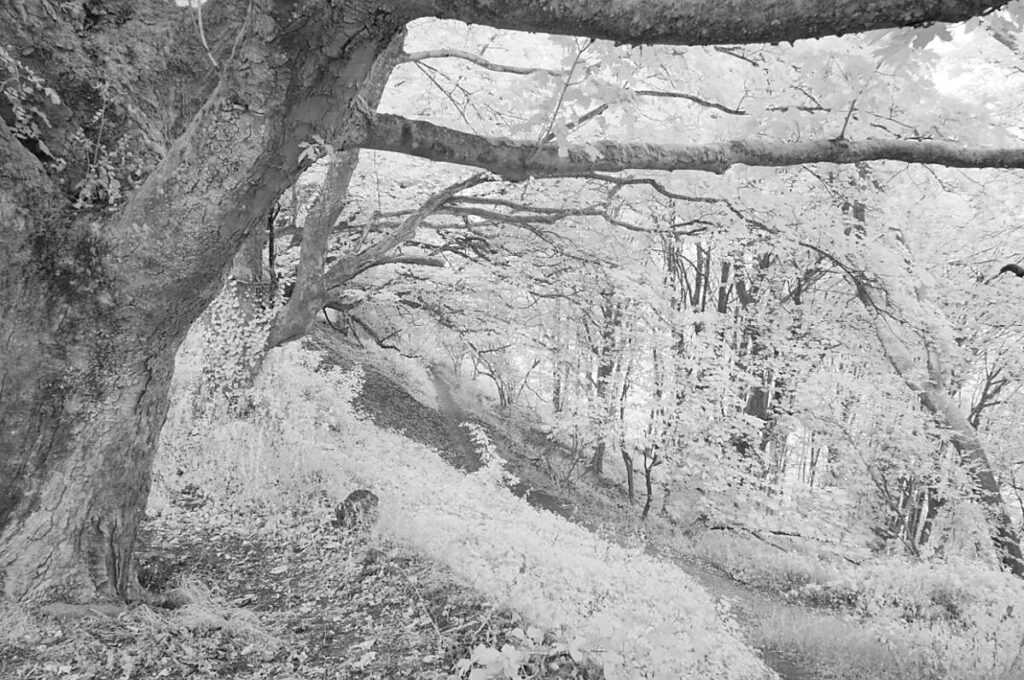
Finally, a more conventional IR for comparision. Converted to mono and adjustments made to contrast.
These aren’t great images, and I’ve still a lot of work to do working out how to use these filters, but I hope they show some of the effects that can be obtained.
Share this post:


Comments
Hamish Gill on Experimenting with IR filters
Comment posted: 10/09/2026
As an aside, did you watch the recent Lord of the Flys adaptation - they used Kolari IR chrome filters in it to really great effect, I thought!
Roger on Experimenting with IR filters
Comment posted: 10/09/2026
Comment posted: 10/09/2026
Jeffery Luhn on Experimenting with IR filters
Comment posted: 10/09/2026
Gary Smith on Experimenting with IR filters
Comment posted: 10/09/2026
@Hamish - I had recently started the new Lord of the Flies but didn't finish it. As a result, I never noticed the use of IR (assuming it wasn't in the earlier installments).
Comment posted: 10/09/2026
Comment posted: 10/09/2026
Comment posted: 10/09/2026
Comment posted: 10/09/2026
Comment posted: 10/09/2026
Michael Murray on Experimenting with IR filters
Comment posted: 18/09/2026