

Roger Ebert, the late great film critic, liked to review movies based on how well they accomplished what they set out to do. As he put it, “If a director is clearly trying to make a particular kind of movie, and his audiences are looking for a particular kind of movie, part of my job is judging how close he came to achieving his purpose.”
I try to approach camera reviews in the same spirit. The Hasselblad XPan and the Lomography Sprocket Rocket are both 35mm panoramic cameras, but the Lomo is not trying to match the XPan’s technical capabilities, just as the XPan is not trying to fit into the Lomo’s price bracket. The only sensible way to review them is to ask: how well does this camera succeed at what it is trying to do?
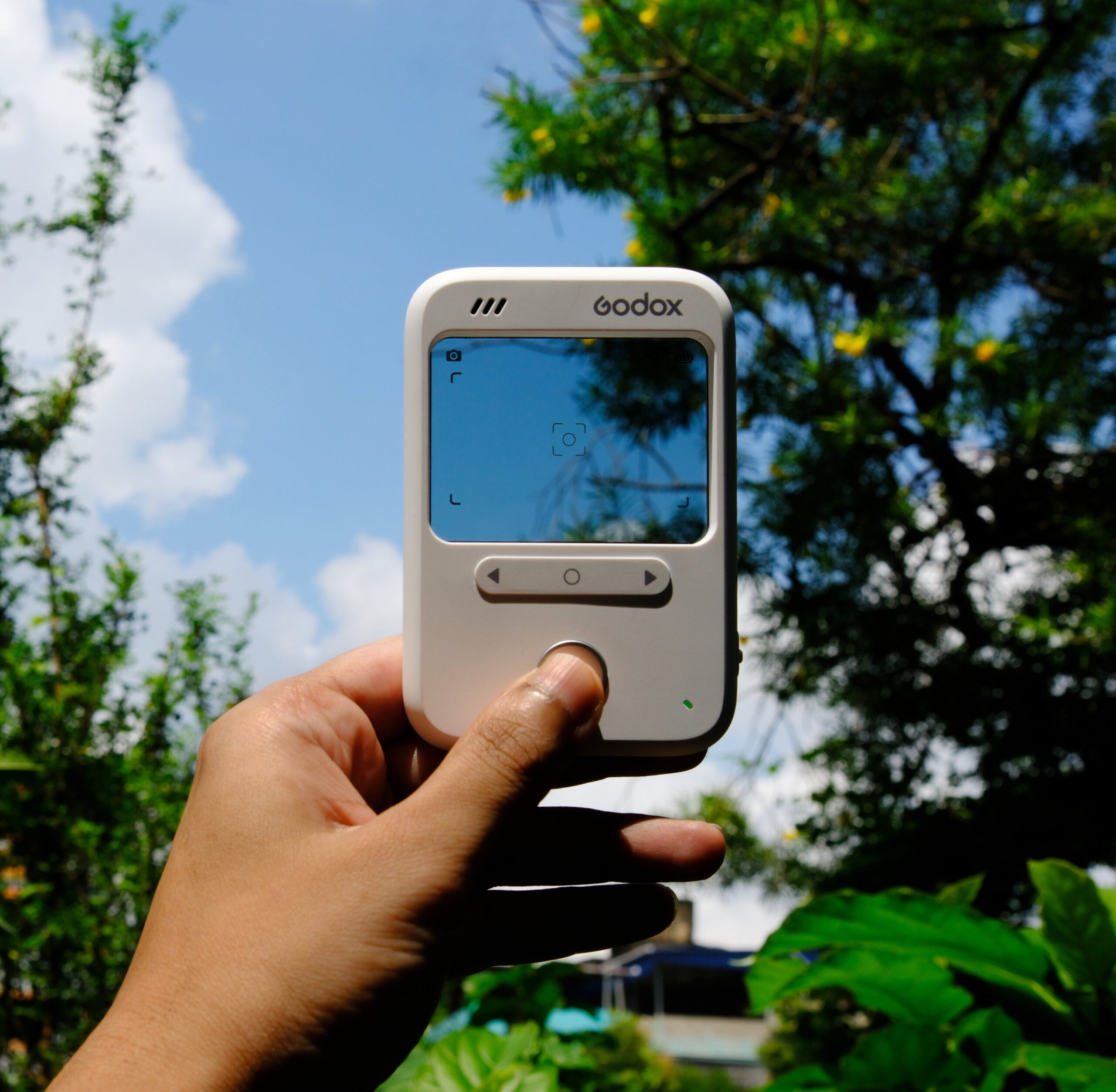
And so we come to the Godox C100 viewfinder camera, which also doubles as a light-meter. The C100 is a 2-megapixel digital camera which is smaller than a phone, and at the time of writing, retails for £39 on Amazon. Can we expect creamy bokeh, face-detect autofocus and 15 stops of dynamic range? Probably not. What then is this camera trying to do, and how well does it succeed?
Let’s find out.
What’s in the box
I’ll start with the usual disclaimer: Godox sent us the C100 to test and review, but this is not a paid post, nor do we have affiliate links. As always, I try to be honest and objective. In fact, as you will see, this is a bit of a mixed review, unlike my other reviews of Godox gear which have been predominantly positive.
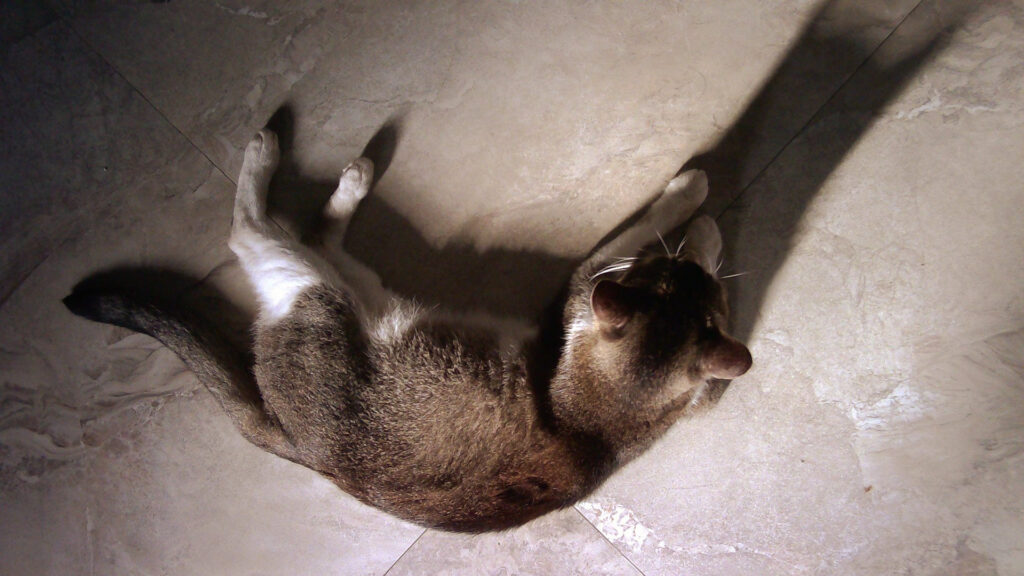
All featured photos are taken with the Godox C100, other than photos of the camera itself and other behind-the-scenes shots.
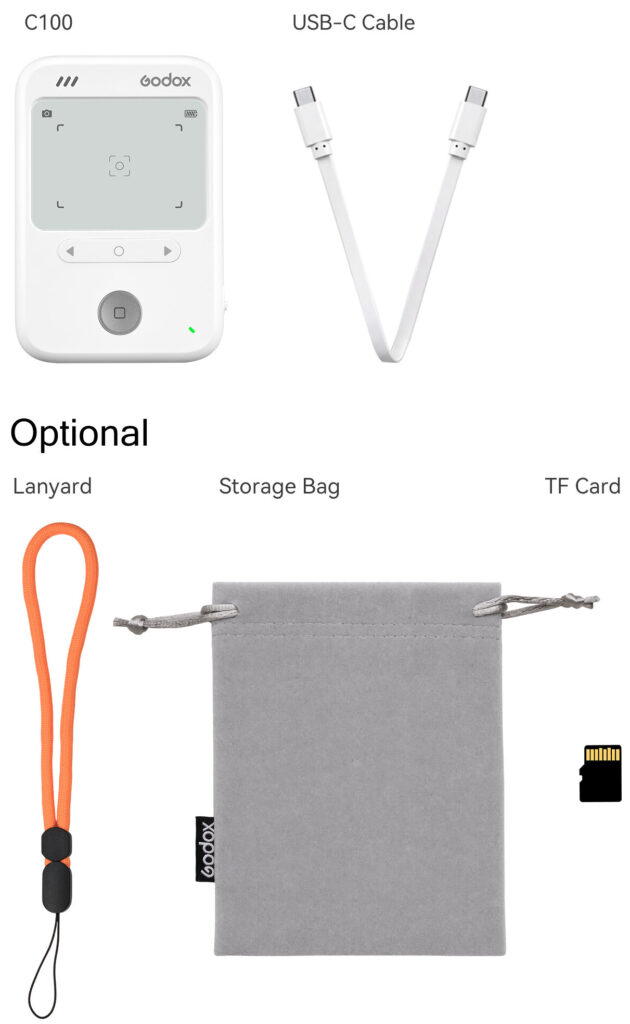
I got the basic package, which has just the C100 camera plus a USB-C cord which is for charging the camera and transferring photos. For a more few pounds, you also get a lanyard, pouch and micro SD card.
Features
The Godox C100 can capture both still photos and video, and also serves as a light-meter. I didn’t try Video mode, so I will just be reviewing the Stills and Light-Meter functions.
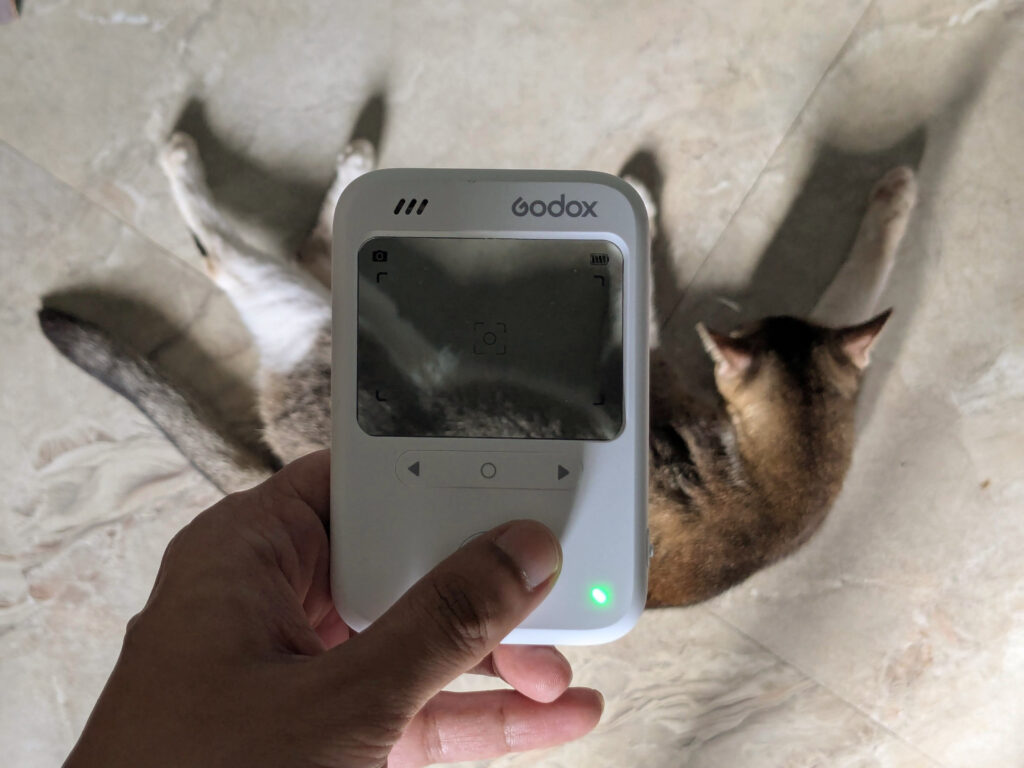
The C100’s interface is minimalist. It’s dominated by its signature feature, a transparent viewfinder window overlaid with basic shooting information (more about this in a bit).
In terms of controls, there’s a switch on the side, which you use to power it on and choose between the Photo, Video and Light-Meter functions. On the front, there is a horizontal bar with Left, Select and Right buttons. In Photo mode, these buttons are used to choose between four different aspect ratios (16:9, 3:2, 4:3 and 1:1). In Light-Meter mode, you use them to set (a) the ISO and (b) either shutter speed or aperture, letting the camera determine the third parameter.
The Lure of the Single-Purpose Device
The Godox C100 does not have an LCD screen, so to review the photos you’ve taken, you have to plug the camera into your phone or computer. I don’t really mind this. In fact I believe part of the C100’s appeal – and this goes back to the point about reviewing cameras based on what they are trying to do – is that it’s not a phone.
It’s somewhat like a phone, in that it’s super handy, and invites spontaneous, fun-and-free use. But as smartphones and social media increasingly fracture our attention spans and intrude on our lives, we are starting to see the appeal of simpler, single-purpose devices that don’t distract us with constant notifications and the temptation to scroll.
In some ways, it feels like using a film camera. You look at the scene itself, not a digital copy of it. And without the luxury of instant review, you simply take your shots and hope for the best. Later, when you plug it in and review the photos, some, perhaps, are not as good as you hoped. But some are better – often in strange and surprising ways.

The photo above has a Dutch tilt which is entirely accidental. But I like it that way; I think it looks more dynamic. With a “proper” camera, I would have ensured a level horizon, but probably ended up with a less interesting image.
Light-metering
The Godox C100 also has a light-meter function. The same sliding switch which is used to power on the camera also acts as a selector for Stills, Video and Meter mode.
The light-meter range is:
- ISO 100 to 800
- Aperture f/1–f/64
- Shutter speeds of 1s–1/8000s
…all in ⅓ stop increments.
If your desired settings fall outside this range, it’s not that hard to calculate. For example, if you want to meter ISO 3200 film at f/4, on the Godox C100 you can simply meter ISO 800 at f/2.
Like any reflected-light-meter, it can be fooled by dark or light subjects, but otherwise, the Godox C100’s metering function seems accurate. Below is a test using a grey wall in open shade. On my phone, I’m using a free light-meter app that I have used for years and come to trust (I’ve even used it for shooting slide film, which is less forgiving, and still got good results).
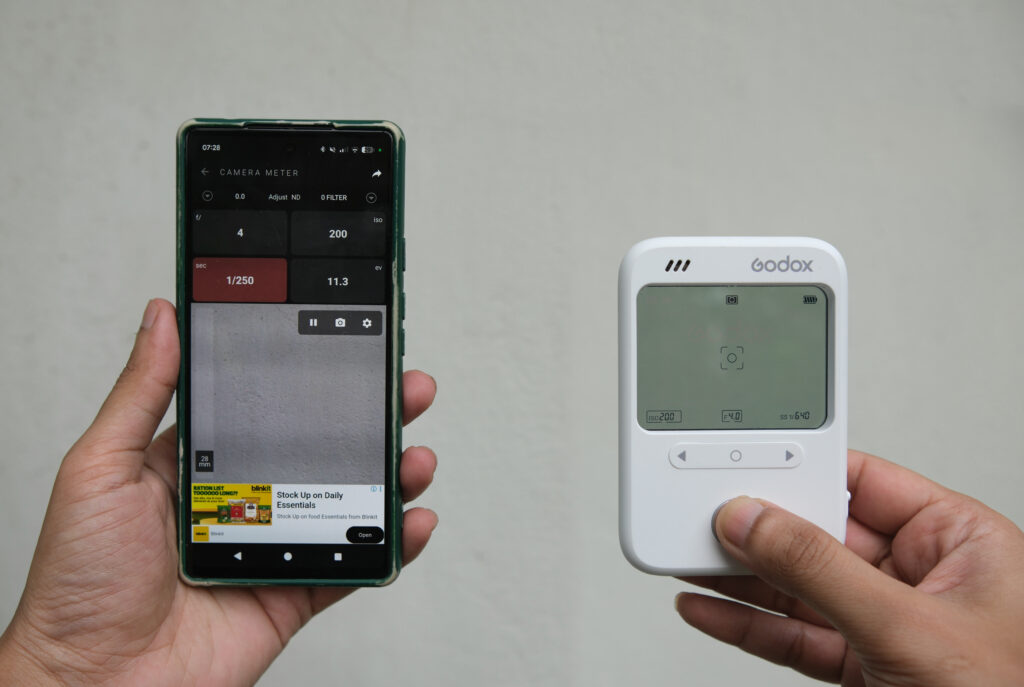
In the test above, the C100 is just ⅓ stop off – 1/200 sec, versus 1/250 sec on my phone – which is well within the margin of error. I metered the same wall with my trusty Minolta X-370s, and it also gave me 1/250 sec.
More importantly, I tested the Godox C100 in the field. Inspired by Christopher Schwer’s Rolleiflex panoramas, I shot triptychs using my Minolta Autocord TLR. Unlike Schwer, I don’t have the panorama-head accessory – I just mounted my camera on a tripod, and used the waist-level finder for estimating how far to turn.
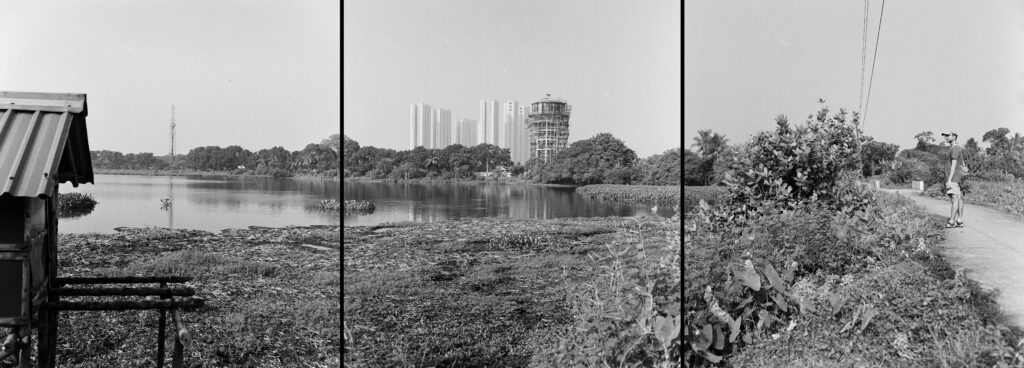
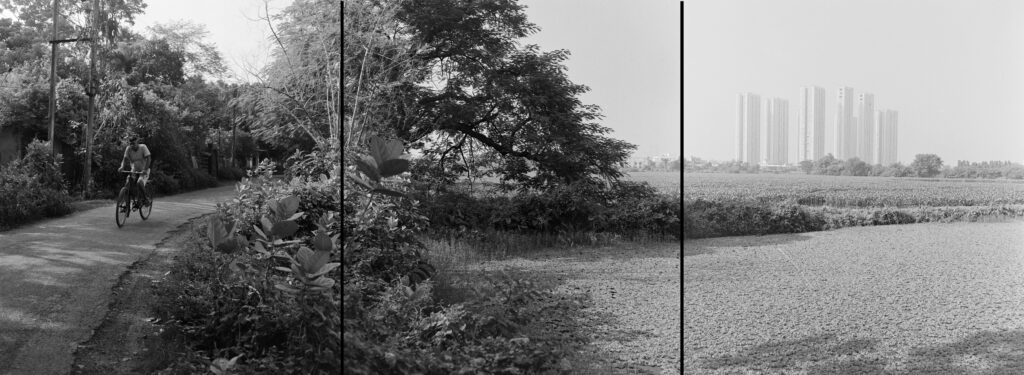
These photos were shot on ISO 200 film, and metered with the Godox C100. In the two behind-the-scenes photos below, you can see my Minolta Autocord camera, and the metering through the Godox C100.
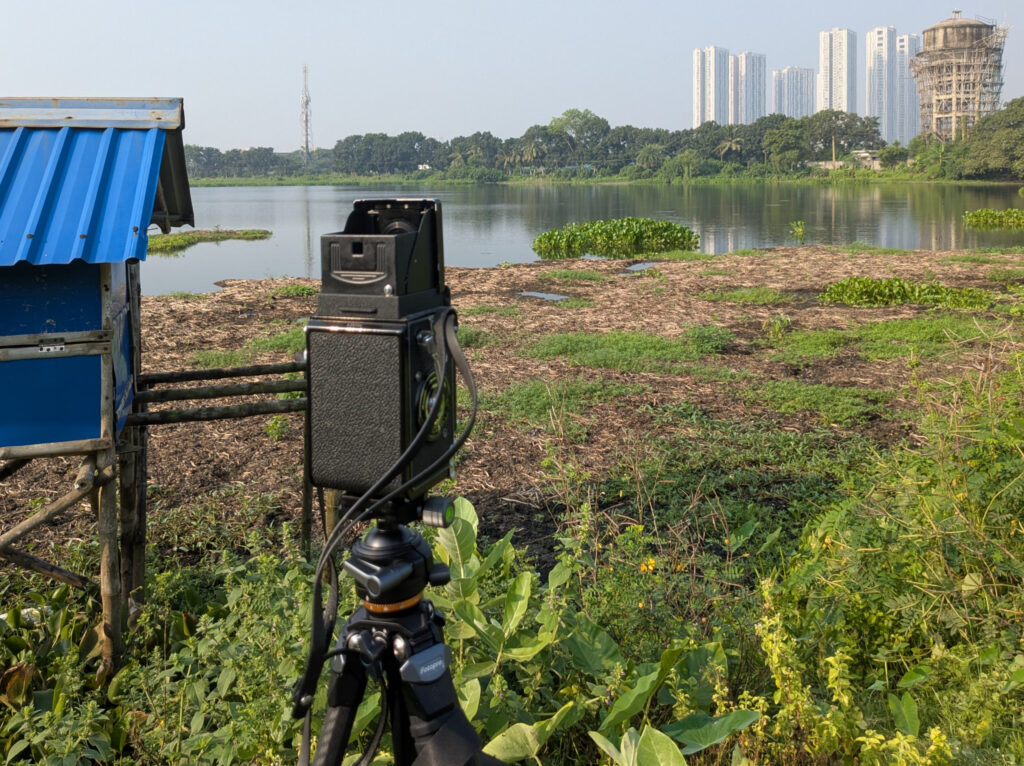
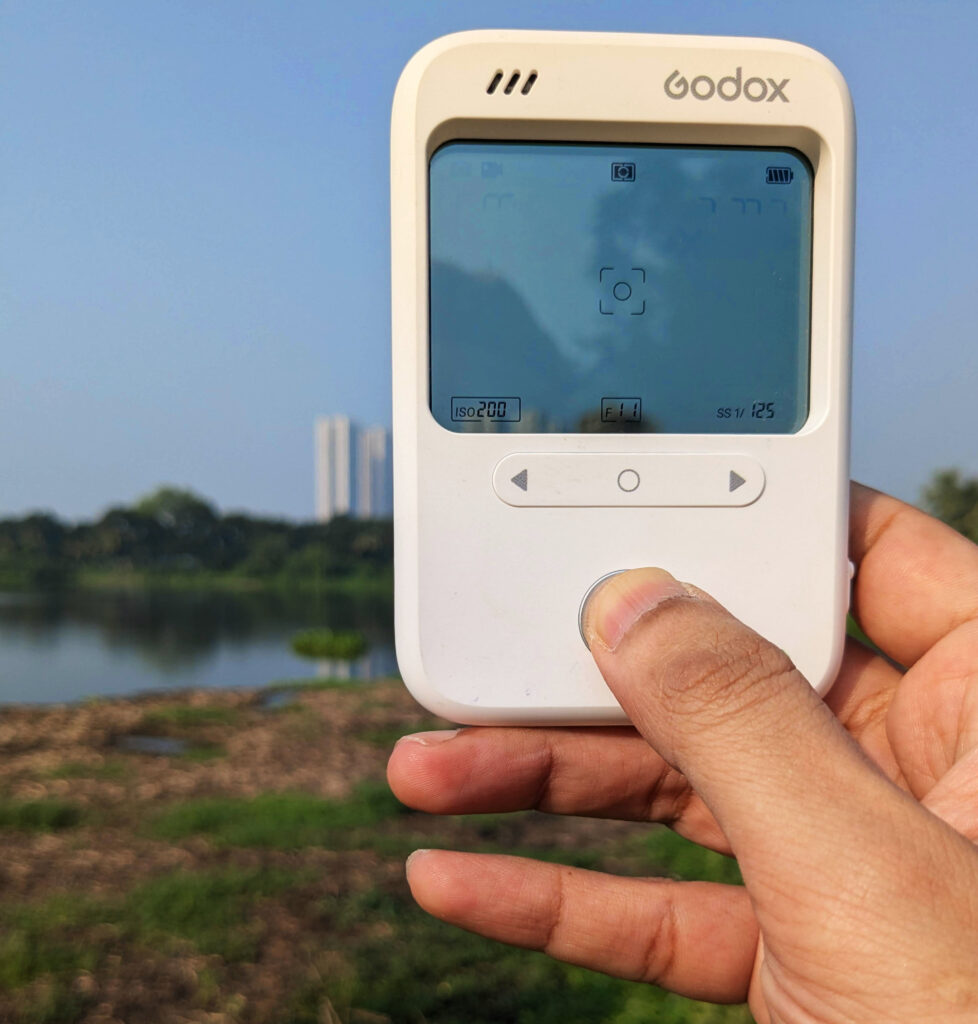
Metering panoramas can be tricky. The wide angle of view means you are often dealing with high dynamic range, but the Godox C100 was up to the task.
The Viewfinder Experience
The Godox C100’s defining feature is its transparent finder. I’m a bit of a viewfinder nerd – in fact I wrote a whole article about different types of finders – so I was naturally intrigued by the C100. It does look cool, and I feel cool using it. The optic-less finder is reminiscent of the sports finders found on vintage cameras, but with the overlaid shooting information, it feels simultaneously modern or even futuristic – like an augmented reality experience.
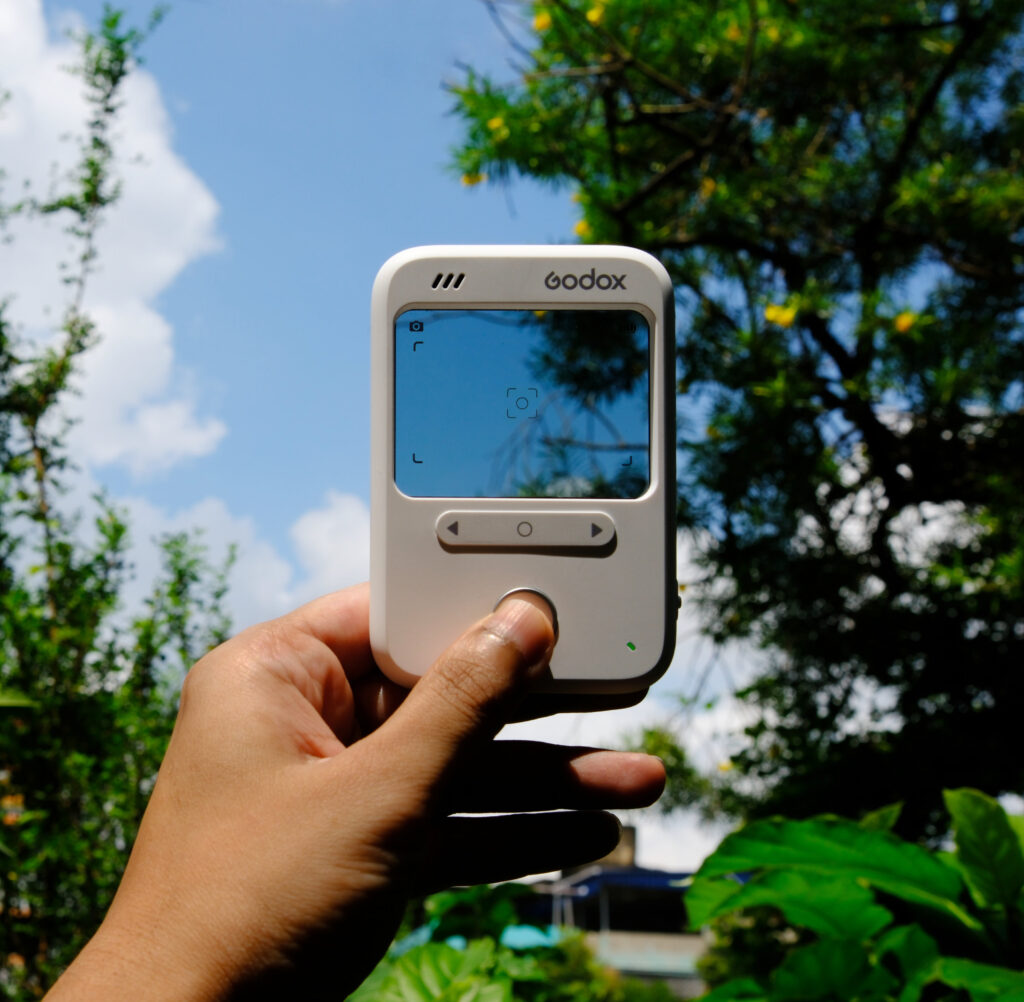
That said, in real-world use, I did not find the viewfinder particularly useful. Firstly, when you hold the camera at what feels like a natural distance from your eye – say 15-25 cm (6-10 in), like how you hold a phone – the camera’s actual angle of view is much wider than what the framelines suggest.
The first photo below approximates what I saw when I held the camera 15 cm (6 inches) from my eye. From the framelines, it looks like the camera was capturing only a part of the bike:
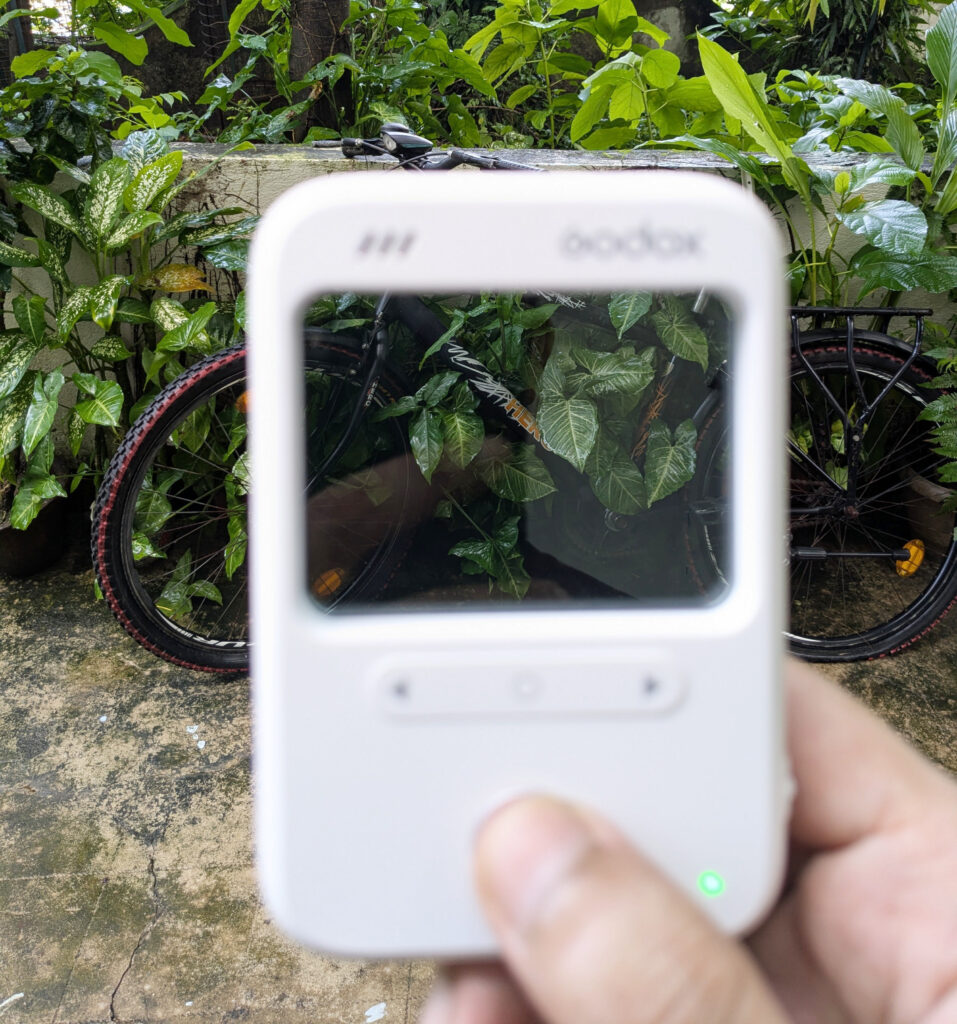
…but in fact, it captured the whole bike and then some.
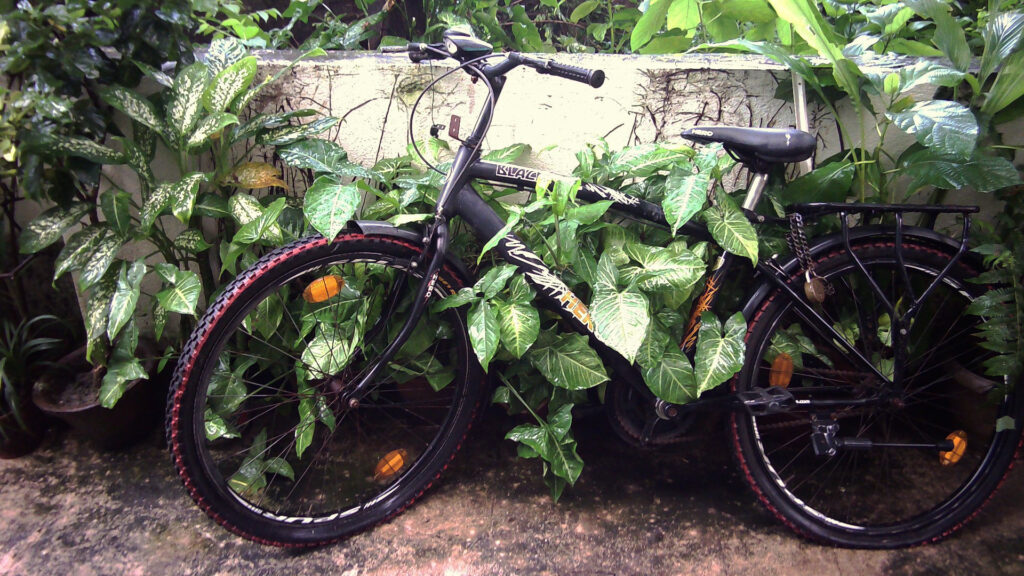
For the framelines to approximate the camera’s actual angle of view, I have to hold the camera super close – almost touching my nose. And at that distance, it’s impossible to focus on the framelines, let alone focusing on the framelines and the actual scene at the same time.
The framelines and other shooting information can also be a bit hard to see against darker backgrounds. In practice, I often end up ignoring the viewfinder, and just point the camera in the general direction of what I want to capture. Most of the sample photos in this article were shot in this way, and my success rate is not bad – partly because the Godox C100’s angle of view, at the default 16:9 aspect ratio, is roughly similar to that of a phone camera which we are all familiar with.
Sometimes I make mistakes, like in the photo below where I wanted to include the crow sitting on top of the pole, but aimed too low:
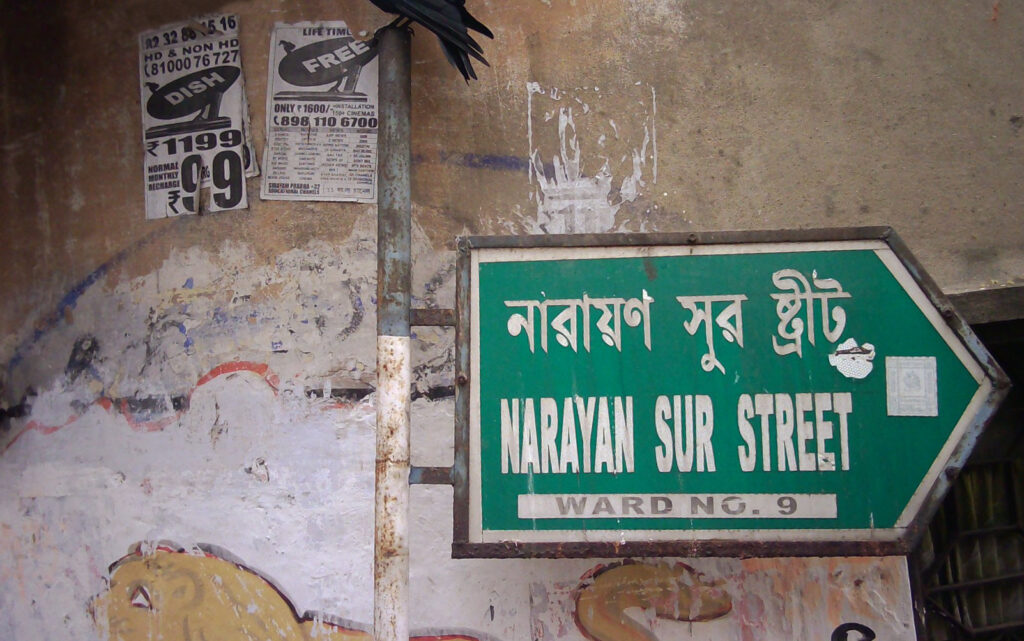
If Godox had given the C100 a longer lens – e.g. with a 40mm (full-frame equivalent) angle of view, instead of roughly 28mm which it currently seems to have – the framelines would have better approximated what the sensor sees. On the flip side, a 40mm lens is not as good for selfies, and maybe that’s an important important consideration for the C100’s target market.
Sample photos
The photos below are from various walks around my hometown, Kolkata. The Godox C100 is good for street photography because it’s small, lightweight and looks totally non-threatening (I suspect most people thought I’m using a phone). That said, I also take street photos with a “proper camera”, and people seem fine with that too.
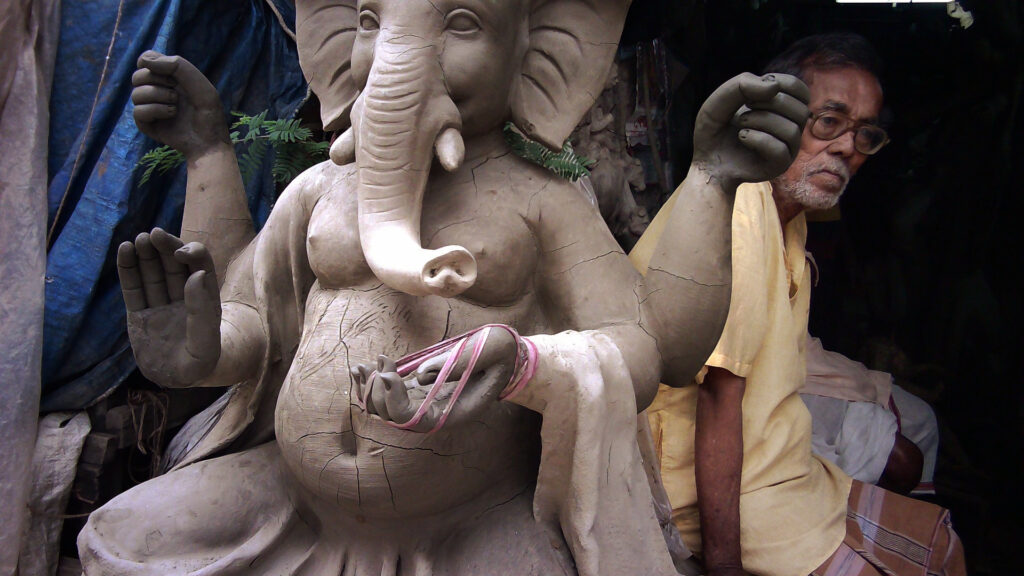
Anyway, the shot below was at close range, less than 2 metres from the gentleman in yellow. He was aware of the camera, but unbothered:
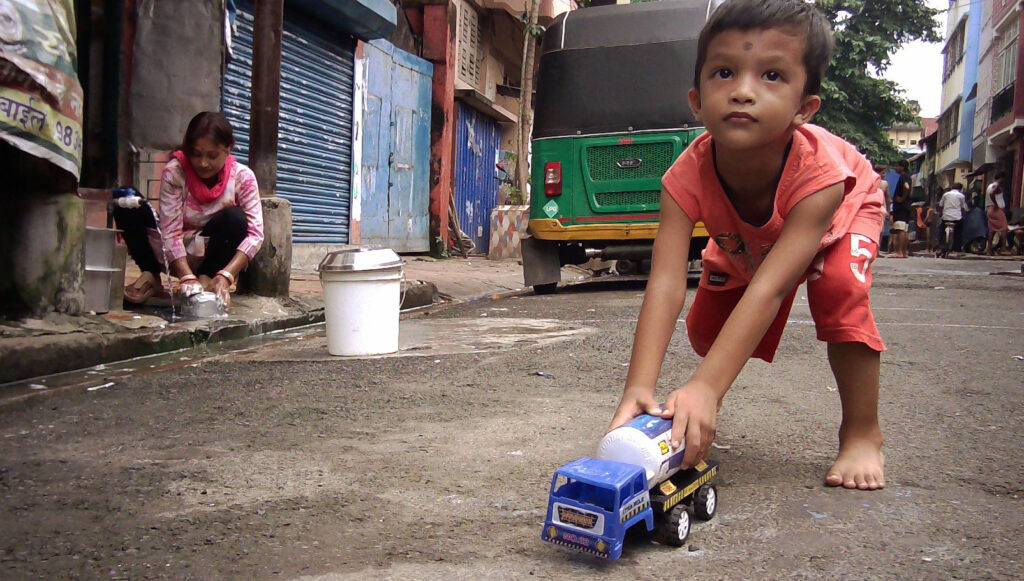
With no need to fiddle with exposure and focus, the C100 works well for snapshots. The child in the photo below was running towards me; I just knelt and shot without even looking through the viewfinder. I like how the woman’s posture echoes that of the child – one hard at work, the other pushing a toy tanker with a missing wheel.
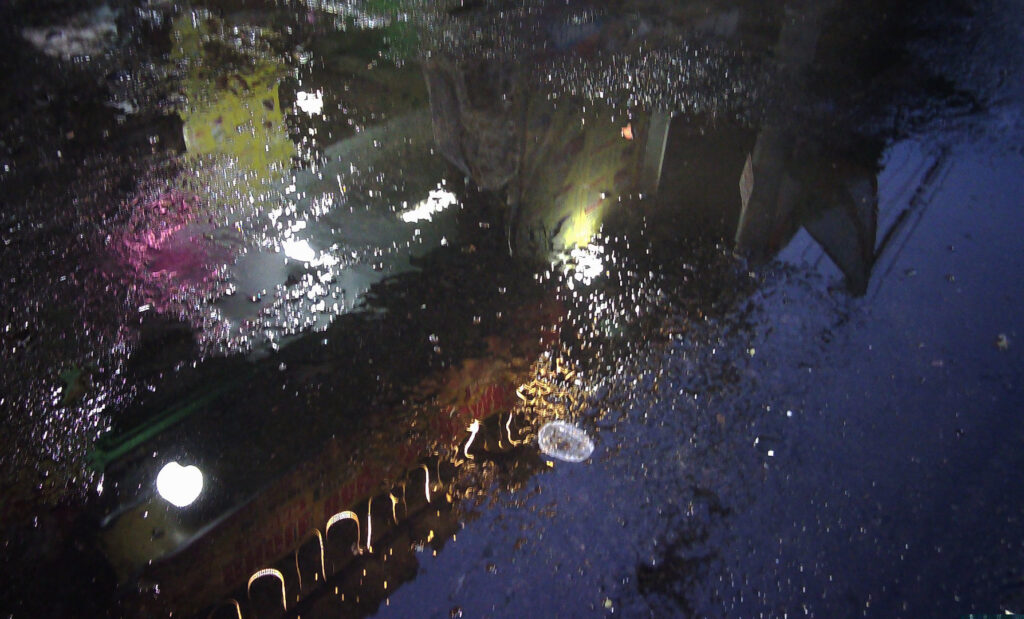
A more abstract shot: reflections in a puddle on a monsoon evening:
This parrot also appears in a subsequent, more close-up shot:
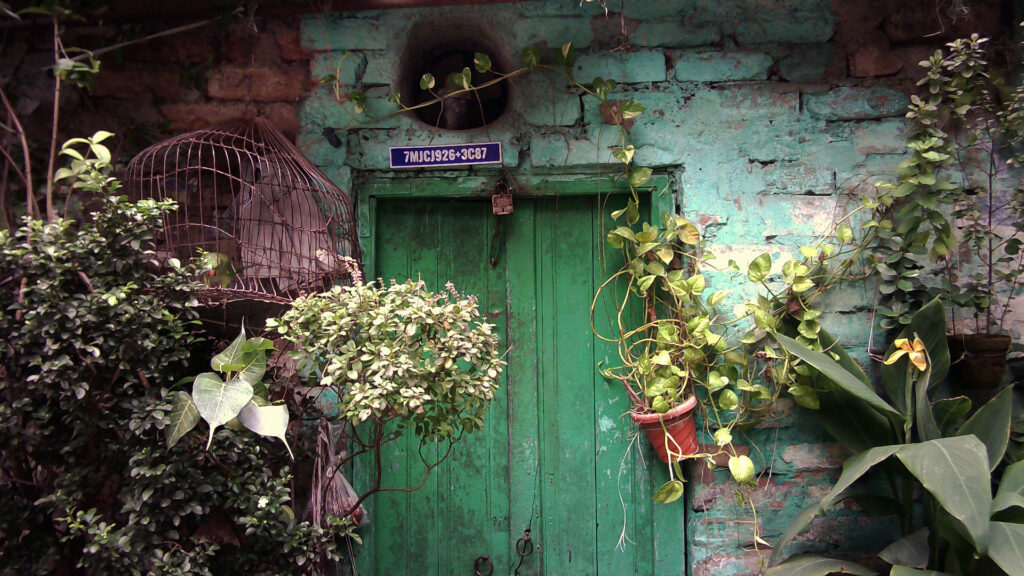
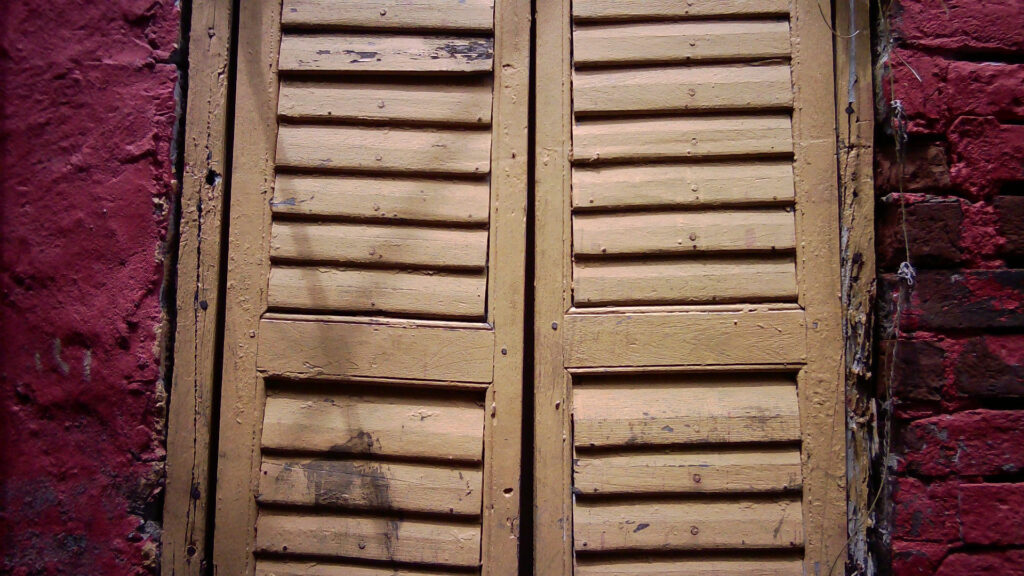
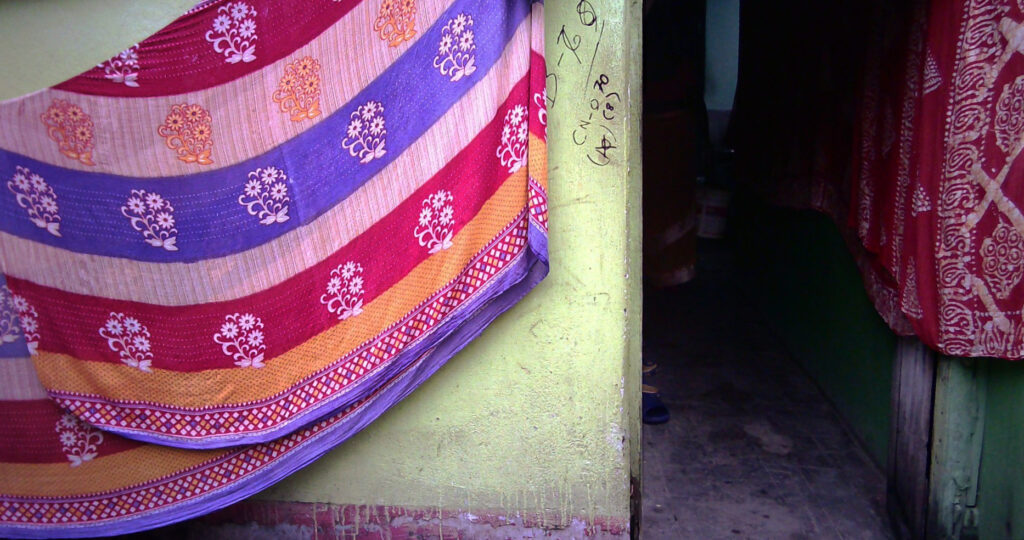
The next two photos are from Kumartuli in North Kolkata, the traditional potters’ quarter, where artisans make clay idols for Hindu festivals (like Ganesha in the earlier photo).
Exposure
The Godox C100’s product page and manual don’t tell us what aperture and shutter speeds it’s capable of. The exposure data are not displayed at the time of capture, and oddly enough, the EXIF metadata doesn’t have it either. All I can say is that in darker conditions, it clearly uses longer shutter speeds. For example the shutter speed in the photo below, judging from the motion blur, was probably around 1/60 sec.

The Godox C100 has a tendency towards overexposure (in the photo above, the white parts of the wall are clipped). When photographing a light subject against a dark background, most cameras tend to overexpose, but with the C100, this is especially acute. It doesn’t have any form of exposure compensation, so the only solution is to fix it in post.
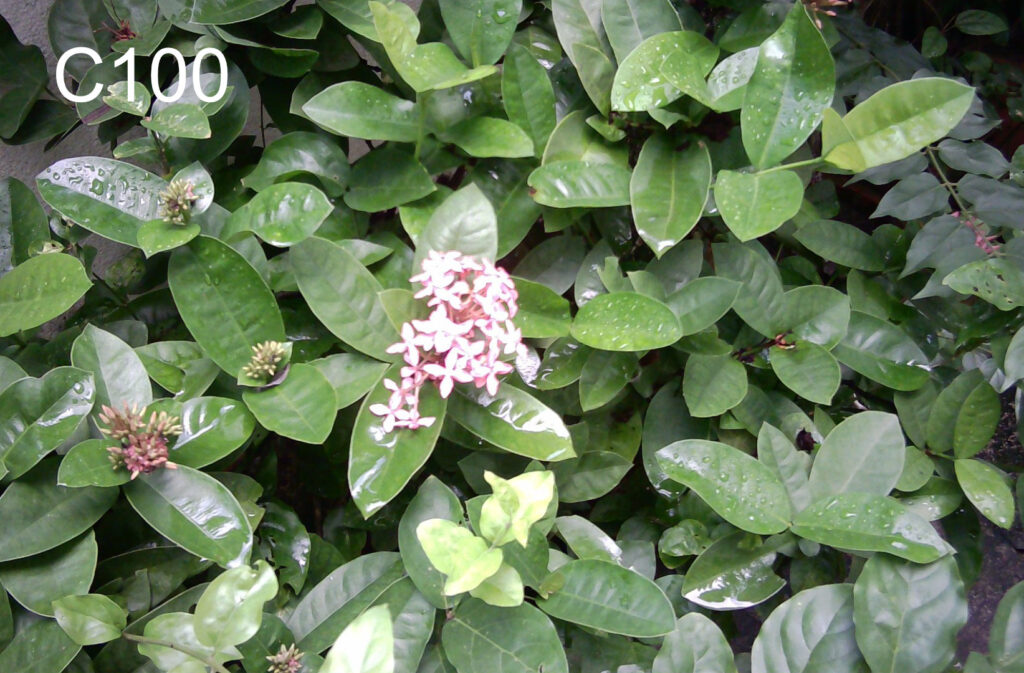
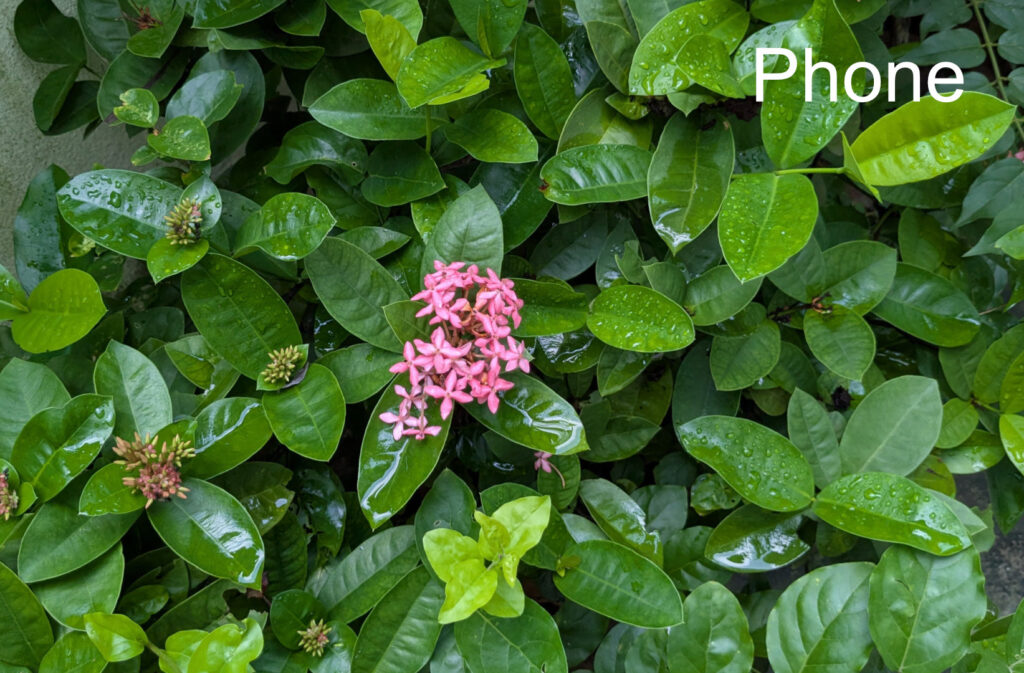
With high-contrast scenes, sometimes the highlights are blown beyond recovery, so even post-processing can’t save you. One of the more severe cases I encountered was this flower against darker foliage. The photos below are SooC (straight out of camera) – the C100 (left) and for comparison, my Google Pixel phone (right) which performed much better.
Editing required
With the exception of the SooC flower photo, all the Godox C100 images that I’ve shared so far were lightly edited in post. The C100 tends to overexpose (see above), and its colour balance (which I’ll talk about in the next section) is on the cooler side. To get a more faithful and pleasing rendition of the actual scene, I had to consistently (a) bring down the exposure and (b) shift the colour balance in a warmer direction.
Here are some examples of photos you’ve already seen, before and after editing:
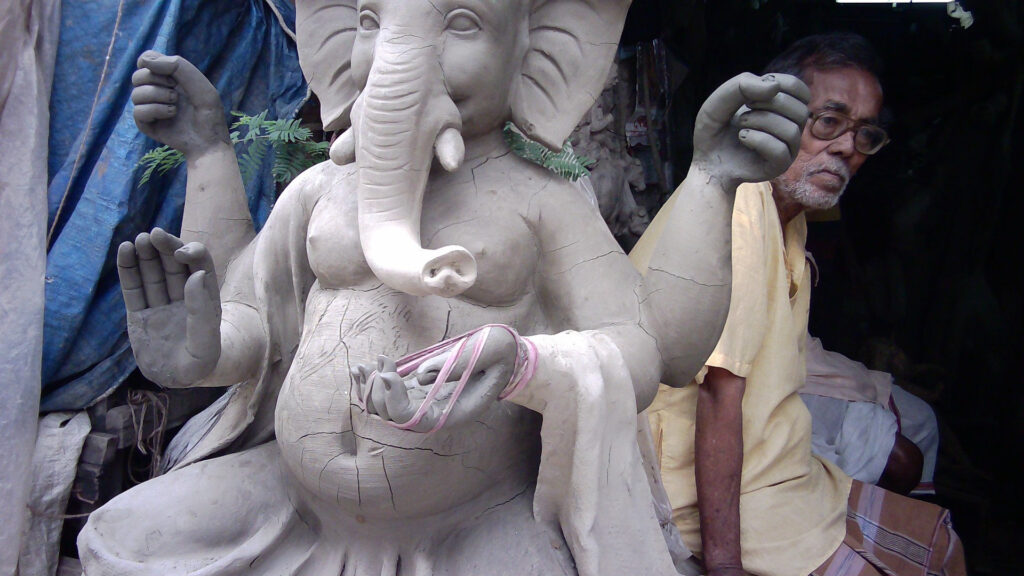
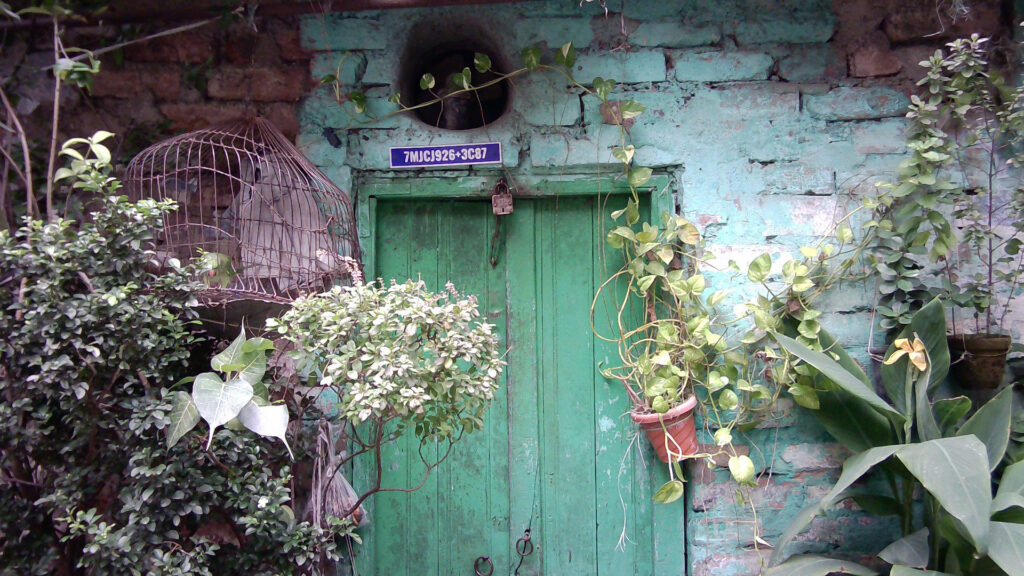
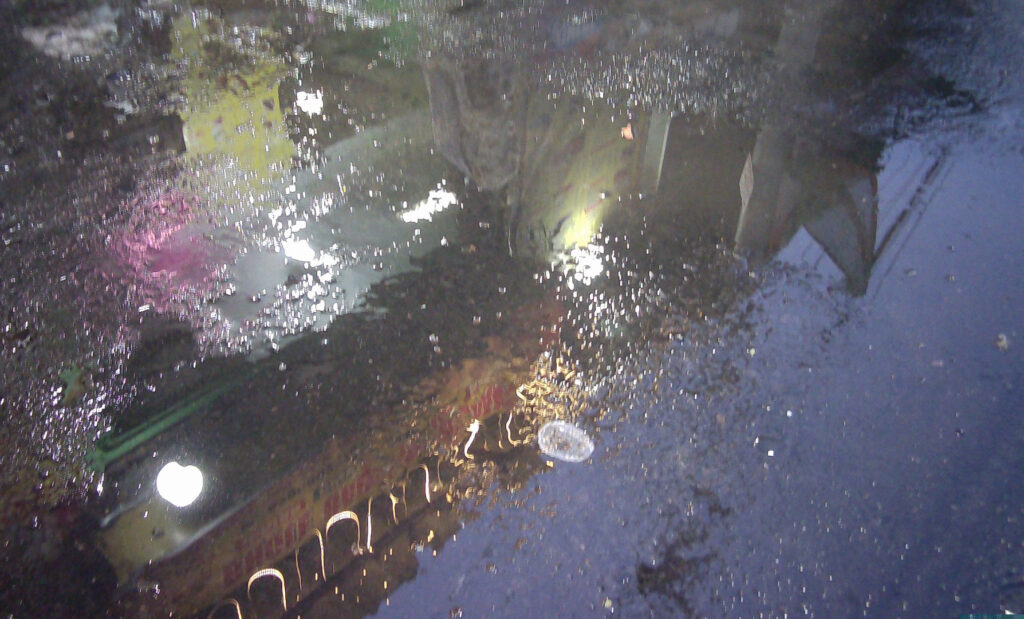

I didn’t go into this with unrealistic expectations – I understand the hardware limitations of a tiny sensor with limited dynamic range. But on the evidence of these photos, the main issue is not the lack of dynamic range – it’s the bias towards overexposure. And that, I feel, is a software issue – how exposure information from the sensor is translated to ISO, aperture and shutter speed settings. If anything, I prefer digital cameras to err on the side of underexposure, since blown highlights are harder to fix in post, and look worse to my eyes than crushed shadows.
Since the Godox C100 doesn’t have exposure compensation or any other form of manual control, this is something that I hope can be fixed in future updates.
Colour balance
The same goes for the colour balance, which as you can see from the earlier comparisons, is something I ended up tweaking in almost all my photos. With a camera like the Godox C100 which is about making photography simple and fun, I’m sure most of us would prefer to get more pleasing and faithful colours straight out of camera, as opposed to fixing it in post.
As with exposure, the C100’s bias is consistent – towards cooler tones – so it should be a relatively easy fix on the software side of things.
I tested this with a colour chart, photographed in open shade with the Godox C100 (left) and my Google Pixel phone (right).
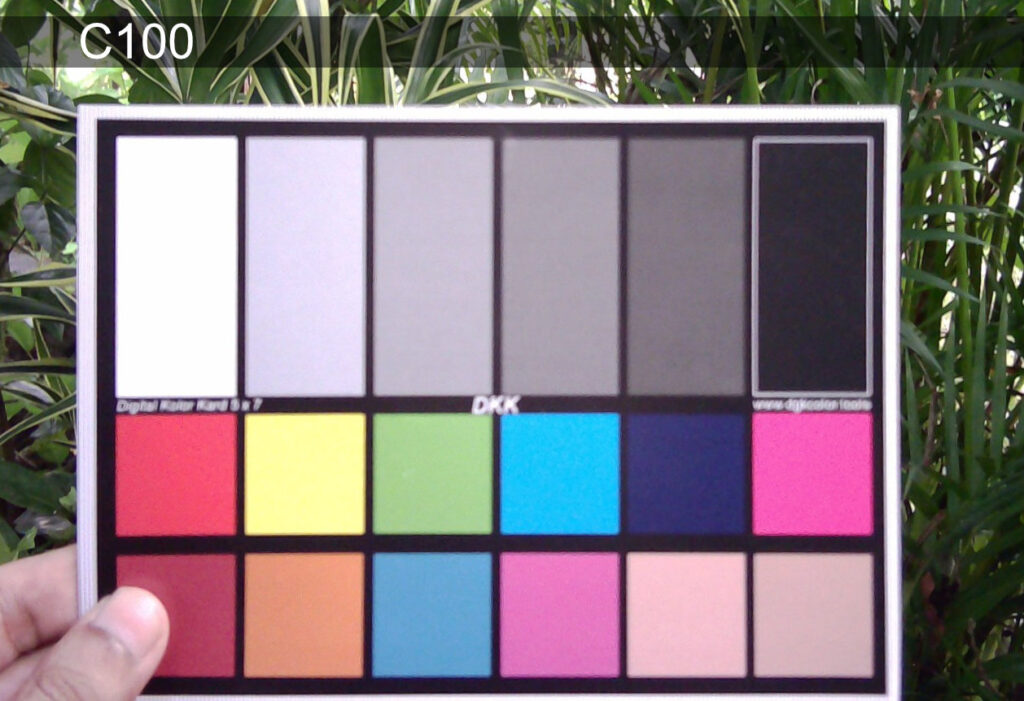
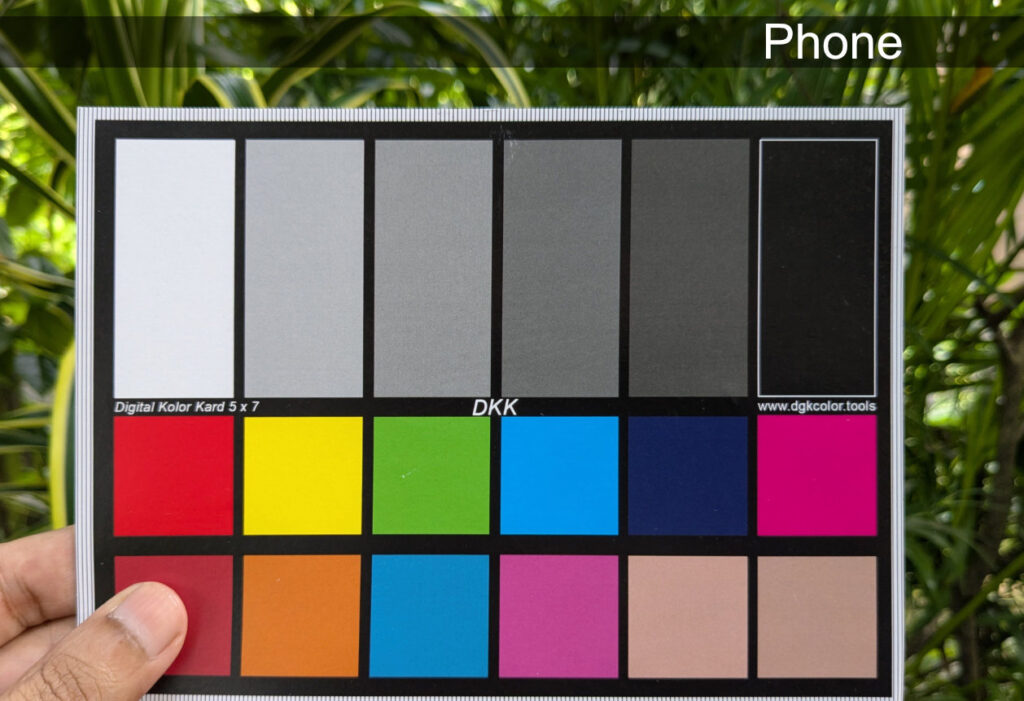
Both photos are SooC, and as usual, the C100 is slightly overexposed and has cooler tones. Unless you have the same test chart, you’ll just have to take my word for it, but the phone’s rendition is closer to what I see with the naked eye. (The C100 photo is also out of focus, which I will come to in a bit.)
Based on the test chart photos, I ran a comparison between the phone and the C100.
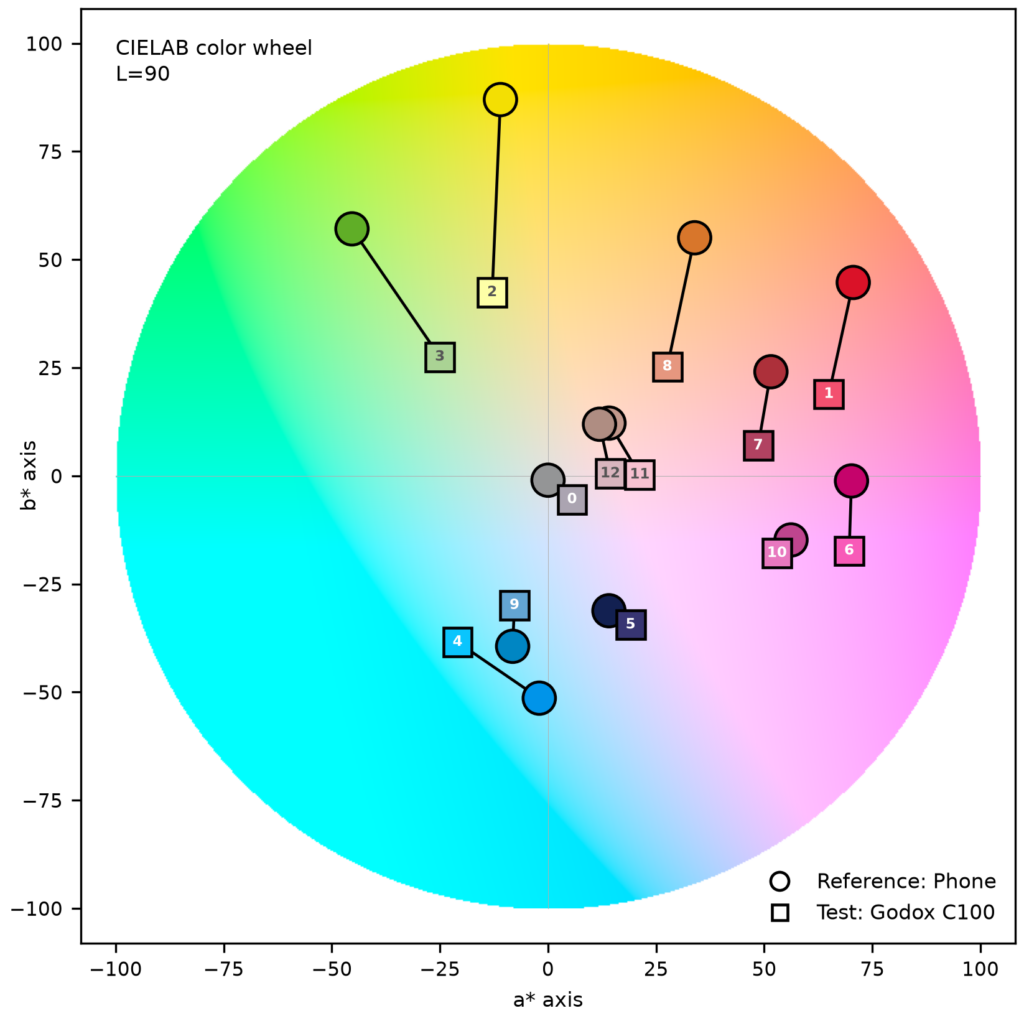
The graphic is generated by a program that I originally wrote to compare film emulsions.
If you want to know more about the program, that probably needs to be a separate article. But in short, the program can analyze two test-chart photos taken under identical lighting conditions, and compare the color rendition. In this comparison, the “Reference” is the phone pic (circles), against which we test the Godox C100 (squares).
The numbers on the squares refer to the coloured patches on the test chart. [0] is middle grey, and [1] through [12] are the coloured patches numbered from left to right. So [1] is red, [2] is yellow, and so on.
In the colour wheel, saturation is zero at the centre (grey) and increases outwards. A radial shift indicates a change in saturation – an inward shift indicates reduced saturation, and outward corresponds to an increase. For example, Green [3] is shifted towards the centre, which means that relative to my phone, the Godox C100 tends to desaturate greens. In fact you can see this not only on the test chart, but also in the leaves in the background.
A tangential shift indicates a change in hue. As you can see, [1] and [8] (red and orange) are both shifted in a cooler (more purple/blue) direction, and the same goes for the skin tones, [11] and [12]. So the test data reflects what I saw in real world photos – (a) desaturation (which I think is at least partly due to overexposure), and (b) a shift towards cooler tones.
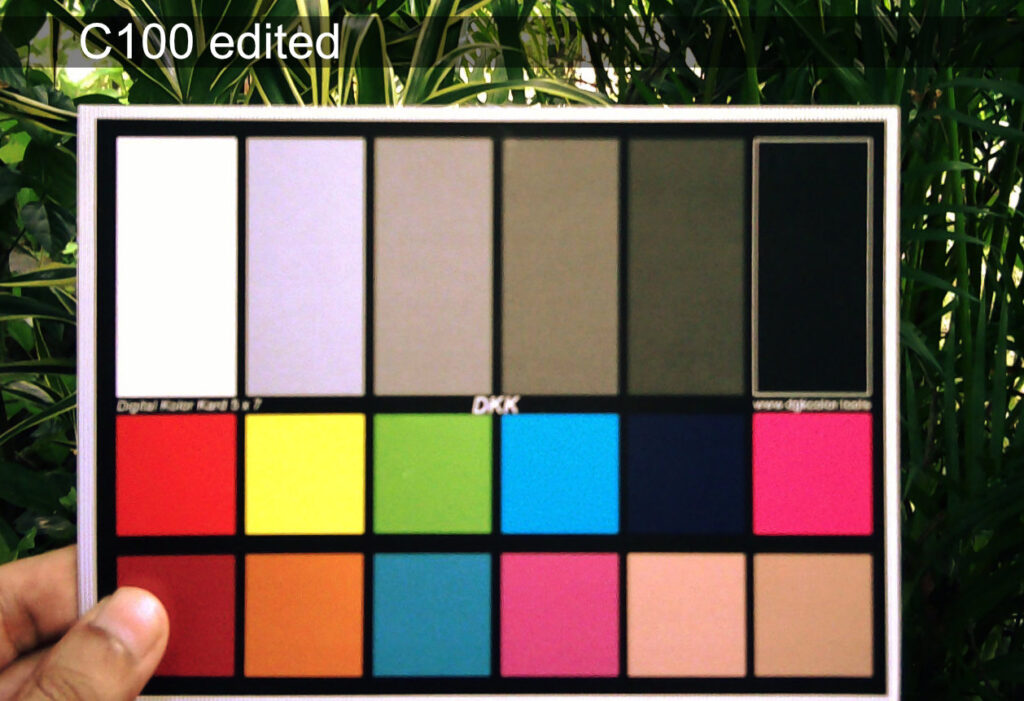
A quick edit to the C100 photo – exposure and colour balance, as usual – brings it more in line with the phone pic. This only takes a minute, using the Curve tool in Affinity Photo or other editing software of your choice. But wouldn’t it be so much better to get pleasing colours straight out of camera?
Close focus and parallax
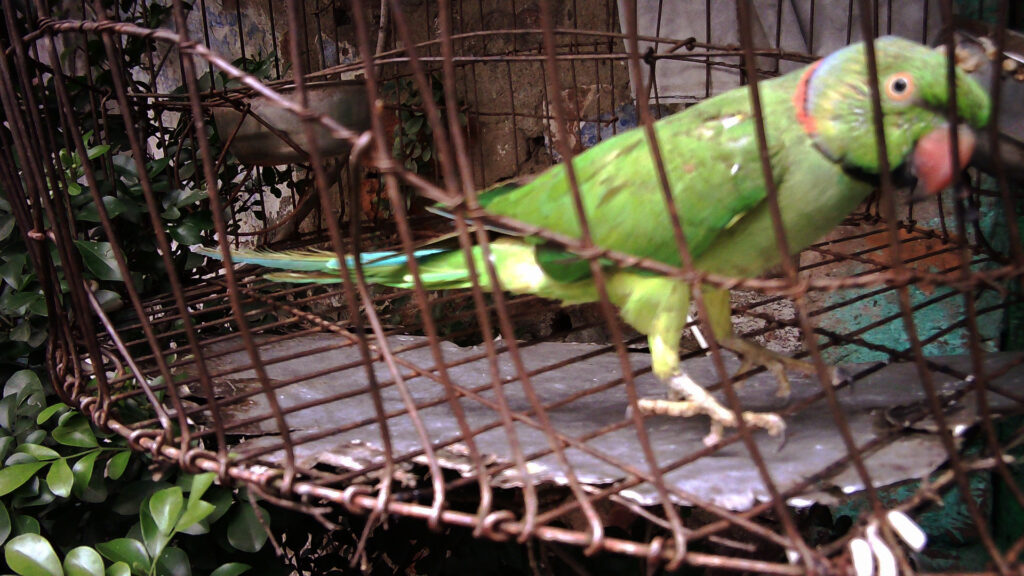
I noted how the test chart photo taken with the Godox C100 is out of focus. As far as I can tell, the camera has fixed focus, and can only focus beyond about 1 metre (3 feet). Like the test chart, this parrot was too close to the camera – but it looks kind of cool.
Phone comparisons
Here’s another before-and-after comparison of a photo taken with the Godox C100 – exposure and colour-balance adjustments, as usual.
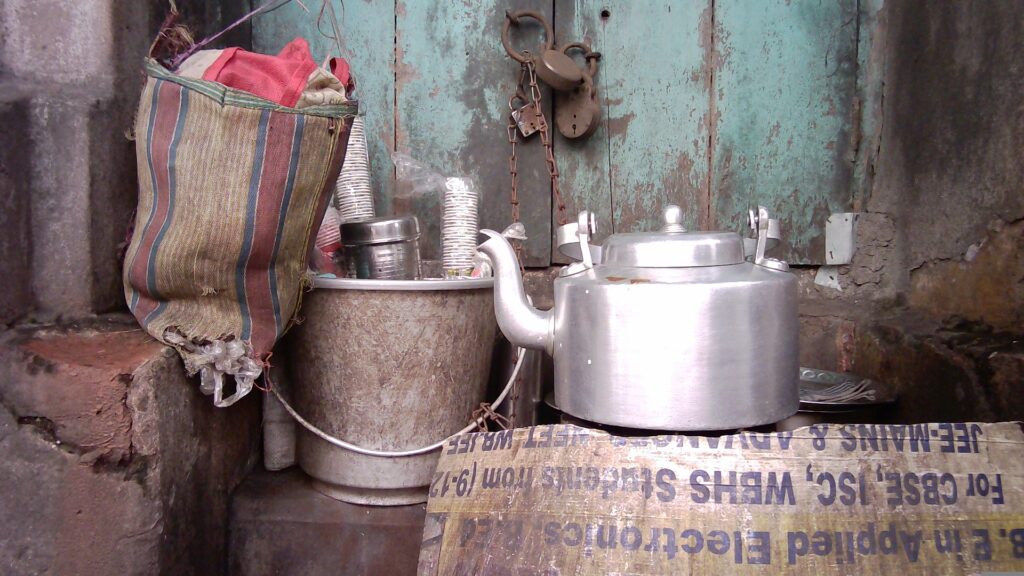
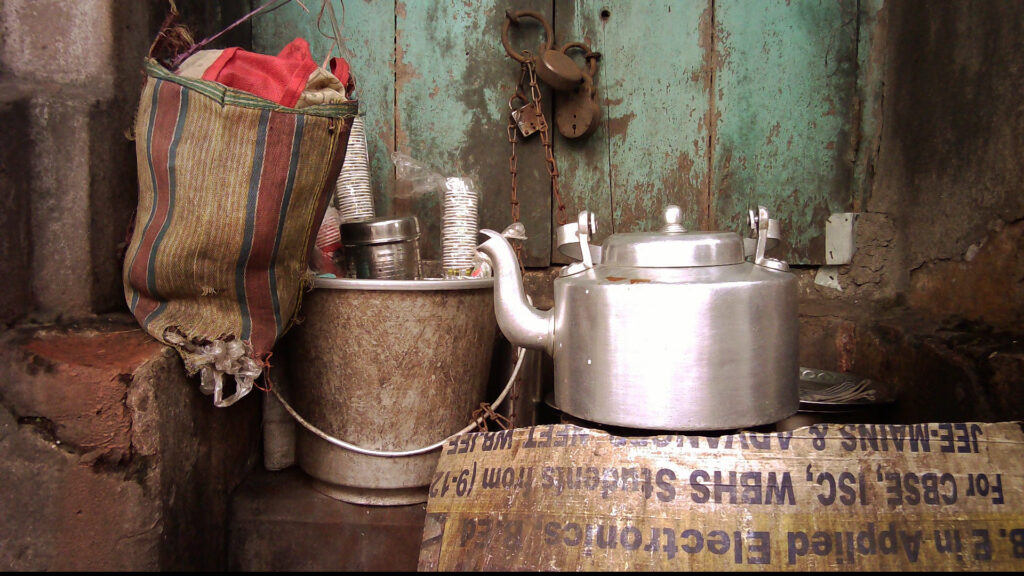
To my eyes, the edited photo looks pretty good, especially for a “toy camera”, but the reflection on the kettle is blown out. Small sensors have limited dynamic range, so you often have to compromise, but given the choice, I would much rather compromise on shadow detail.
Now here’s the same photo taken with my phone. As you can see, highlight detail is preserved.

Next up, another Godox C100 photo:
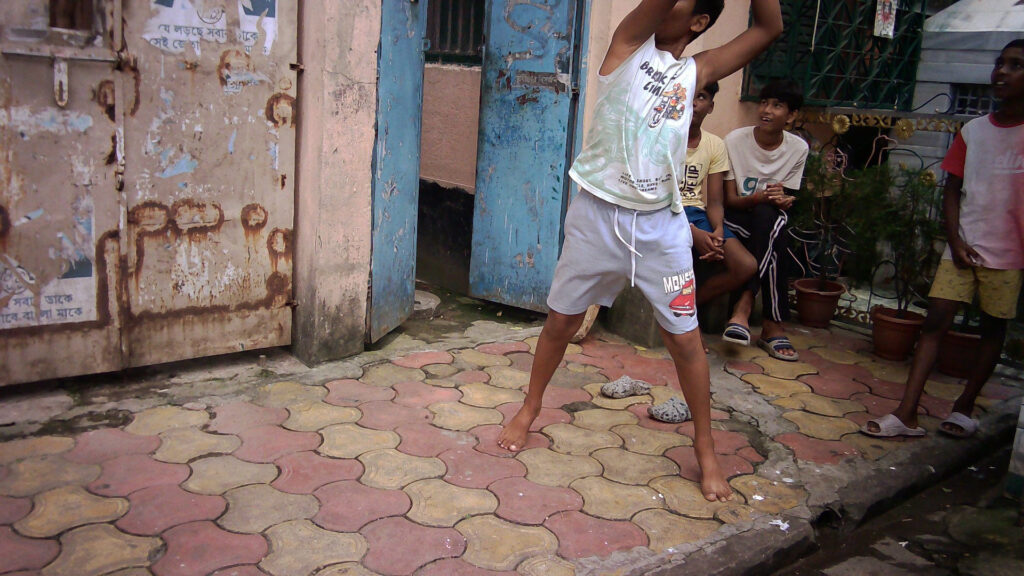
Clearly I got the framing wrong, and I normally hesitate to blame my tools, but in this case I do think it’s due to the viewfinder issue that I talked about earlier. Since the framelines are not a reliable guide, I often just point and hope for the best. Sometimes I get it wrong.
Seconds later, I took a photo with my phone, and the framing was as I intended:

For these and other comparisons in this article, I made a deliberate choice to use my phone, because that’s essentially what the Godox C100 is competing against. No one is buying this camera to replace a “proper” digital camera. Rather the question is, if you already have a phone, would you buy, or use, the C100?
Earlier I talked about the lure of a single-purpose device. The small sensor has its limitations, but for many photographers, that’s a feature, not a bug. There is also the fun factor, and the cool factor if you will. On all these fronts, the Godox C100 scores highly. I just wish that it were a little better at its main purpose, which is taking photos.
The improvements that I would like to see – a fix to the overexposure problem, a more neutral or warmer colour balance, perhaps a longer (~40mm equivalent) lens to match the framelines – are all things that I believe can be implemented without driving up the cost or complexity of the camera. And these would elevate the Godox C100 from a device which is merely fun to use, to one which I genuinely love using.
Share this post:


Comments
No comments found